
SMS appointment reminders for UK barber shops

Etisia adds automatic text reminders, cancellation links and optional review requests to Google Calendar, so your barber shop can manage bookings without changing its existing diary.

See your missed appointment estimate

No credit card needed. Free SMS included.

Last updated:

SMS reminders, Feedback requests, Cancellation links

Google Calendar
TODAY
12
TOMORROW
13
09:00
Lisa Jones (SMS sent ✅)
10:00
Eva Davies (SMS sent ✅)
11:00
12:00
Jane Smith (SMS sent ✅)
13:00
14:00
Anna Wright (SMS ready ✅)
Click
15:00
16:00
07911 234567 (SMS sent ✅)
14:02
HSB
High Street BarbersToday, 14:02

Missed barber appointments leave chair time unused

A barber shop diary can change quickly. One forgotten appointment may only look like a small gap, but when the slot is too close to reallocate, it can leave a chair open, interrupt the flow of the day, and create extra admin for the team. Etisia helps by sending automatic SMS reminders from Google Calendar, with a simple cancellation link so clients can let you know earlier when they cannot make it.

Built for short appointment slots

Barber appointments often run back-to-back. A simple reminder the day before, or on the morning of the booking, gives clients a useful nudge without the team having to call each person manually.

Useful for bookings and walk-ins

If a client cancels through the link, the shop gets a clearer view of the diary. That can make it easier to offer the slot to another client, take a walk-in, or adjust the day without guesswork.

Fewer forgotten bookings SMS reminders are useful for regular trims, beard appointments, skin fades, and longer grooming slots because clients often book days or weeks ahead. A short text with the date, time, and shop name is enough to bring the appointment back to the front of their mind.

Cancellations without a phone call A cancellation link gives clients a quick way to tell you they cannot attend. That is especially helpful when the shop is busy, the phone is not being answered straight away, or the team is already serving clients.

Less interruption for the team Manual reminder calls can break the rhythm of the day. Etisia sends appointment reminders automatically from Google Calendar, so barbers and front-desk staff can spend less time chasing bookings and more time looking after people in the shop.

Works across chairs, staff, and calendars For shops with several barbers, separate chairs, or multiple Google Calendars, reminders can support the way the team already organises appointments. Etisia adds SMS communication to the diary rather than asking the shop to replace its booking process.

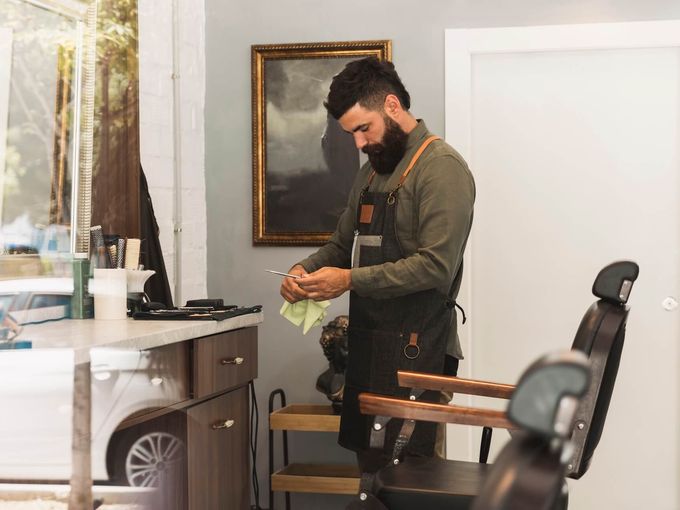
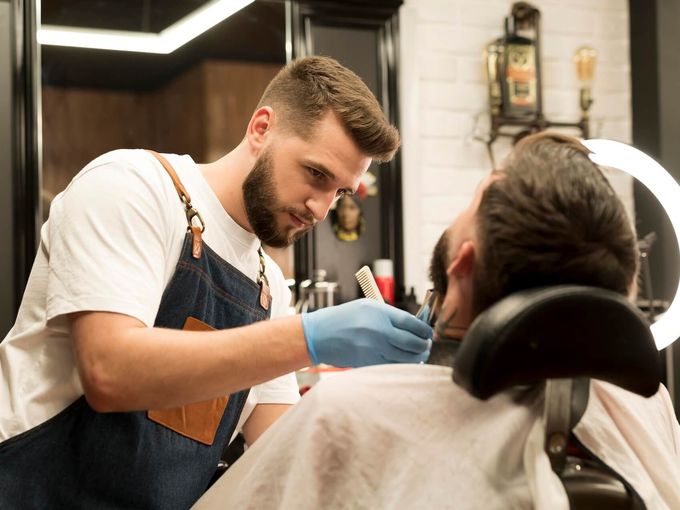
Professional barber shop interior with classic styling chairs

Where text reminders help in a barber shop

Many clients find a short text easier than a phone call during the working day. For barber shops, that matters because the team may be cutting hair, serving walk-ins, or managing several chairs at once.

Text reminders are practical, not pushy. A clear SMS with the shop name, appointment time, and cancellation link gives clients the information they need without making the message feel like a sales campaign.

They fit mixed booking patterns. Whether the booking came through a phone call, a booking app, a website, a rebooking before the client left, or directly in Google Calendar, Etisia can support the diary once the appointment and mobile number are available.

Keep reminder texts factual and avoid unnecessary personal details. Mobile numbers are personal data, and simple appointment reminders should stay information-only rather than promotional.

How Etisia works with your barber shop diary

Etisia does not replace your booking system or change how your shop takes appointments. It sits alongside Google Calendar and adds automatic SMS reminders, cancellation links, and optional review or feedback requests to the diary you already use.

  1. 01

    Connect Google Calendar

    Link the Google Calendar your barber shop uses for bookings. If your team uses more than one calendar, you can connect the relevant calendars depending on your Etisia plan.

  2. 02

    Add appointments as normal

    Keep creating bookings through your usual process: phone, website, booking app, walk-in rebooking, or directly in Google Calendar. The key detail is that the appointment has a client mobile number available for the reminder.

  3. 03

    Choose your SMS reminder timing

    Set when reminders should go out, such as the day before, the morning of the appointment, or a few hours before. For barber shops, one day-before reminder and one same-day reminder can be a practical starting point.

  4. 04

    Send clear text reminders automatically

    Etisia sends a short SMS with the appointment date, time, business name, and cancellation link. The message can stay neutral and avoid unnecessary personal details.

  5. 05

    Let clients cancel or request a change

    When the SMS includes a cancellation link, clients can let the shop know without needing to call. That gives the team more chance to update the diary or offer the time to someone else.

  6. 06

    Ask for feedback or reviews where appropriate

    After the appointment, Etisia can send an optional, neutral feedback or review request. Keep review requests voluntary, avoid incentives, and do not only ask clients who seem happy.

How Etisia works with your barber shop diary

UK SMS templates for barber appointment reminders

Keep barber shop SMS messages short, clear, and privacy-aware. In most cases, the client only needs to know where the appointment is, when it is, and how to cancel or change it. Avoid unnecessary details about the service.

1. Standard day-before reminder

Day before

Reminder: you have an appointment at {BusinessName} on {Date} at {Time}. To cancel or change it: {Link}
2. Same-day reminder

Same day

Your appointment at {BusinessName} is today at {Time}. To cancel or change it, please use this link: {Link}
3. Two-hour reminder

Two hours before

{BusinessName}: your appointment is at {Time} today. If you cannot make it, please cancel or change it here: {Link}
4. Booking confirmation

When booked

{BusinessName}: your appointment is booked for {Date} at {Time}. We'll send a reminder nearer the time.
5. Cancellation-friendly reminder

Before the booking

Reminder: your appointment at {BusinessName} is on {Date} at {Time}. If you need to cancel, please use this link so we can update the diary: {Link}
6. Polite change request

Before the booking

{BusinessName}: you have an appointment on {Date} at {Time}. Need to change it? Please use this link: {Link}
7. Neutral review request

After the appointment

Thanks for visiting {BusinessName}. You can leave feedback or a review here if you'd like: {ReviewLink}
8. Private feedback option

After the appointment

{BusinessName}: thanks for visiting today. Your feedback helps us improve. Share your comments here: {Link}

Estimate the impact of missed barber appointments

Your average appointment

~3 no-shows per week

That's

£0

walking out your door every year.

Per month

£0

Per week

£0

Wasted hours/year

0 hrs

Etisia brings them back.

SMS reminders recover up to 90% of no-shows.

Annual savings

£0

Appointments recovered

0

Hours saved

0 hrs

Start free trial

No credit card required · 3-day free trial · Free SMS included

Ask for feedback without making it feel pushy

After a client's appointment, Etisia can send a short, neutral message asking for feedback or a review. The request should go to eligible clients in a fair and consistent way, not only to clients who seem happy. Keep the wording voluntary, avoid incentives, and do not ask for a particular star rating or suggested wording. Google allows businesses to ask for genuine reviews, but its policy does not allow incentives, pressure, discouraging negative reviews, or selectively soliciting positive reviews. Google Help

Neutral wording

Use wording such as "You can leave feedback if you'd like" rather than "Leave us a 5-star review".

No pressure or incentives

Avoid discounts, free services, gifts, or any wording that makes the client feel obliged to review the shop.

Private feedback option

Some shops may prefer to collect private feedback before or instead of asking for a public review. If you also ask for Google reviews, avoid filtering only positive feedback towards the public review link.

Ask for feedback, not a specific rating.

Simple plans for small and midsize service businesses that don't want another complicated booking system

Keep Google Calendar as the main calendar your team works from. Etisia adds reminders, review requests, and one-tap cancellations without a new booking system or workflow builder.

Starter

£19/month

(ex VAT)

For solo operators who want reminder coverage fast, without rebuilding how appointments get booked.

  • 100 SMS messages per month
  • 1 Google Calendar
  • Automatic + instant SMS on new bookings
  • Instant confirmation SMS for new appointments
  • 24/7 Monitoring
  • One-tap cancel links + instant alerts
  • 25+ templates with custom fields
  • Import contacts from iOS, Android & vCard
  • Full delivery logs & tracking
Start free trial
No credit card needed. Free SMS included.

Pro

Recommended

Try free for 3 days — extra SMS on us

£33/month

(ex VAT)

For busy businesses that want reminders and review requests included in one Google Calendar-first flow.

  • 250 SMS messages per month
  • 3 Google Calendars
  • Automatic + instant SMS on new bookings
  • Instant confirmation SMS for new appointments
  • 24/7 Monitoring
  • One-tap cancel links + instant alerts
  • Custom Alphanumeric Request
  • 25+ templates with custom fields
  • Import contacts from iOS, Android & vCard
  • Full delivery logs & tracking
  • Optional neutral feedback or review requests
Start free trial
No credit card needed. Free SMS included.

Team

From£125/month

(ex VAT)

Built for larger teams with multiple Google accounts and calendars or higher reminder volume. Pricing is tailored to your calendar setup, country, and monthly reminder needs.

  • Custom monthly SMS volume
  • Unlimited Google Calendars
  • 24/7 Monitoring
  • One-tap cancel links + instant alerts
  • Custom Alphanumeric Request
  • Optional neutral feedback or review requests
  • Multiple Google accounts if needed
  • Setup help
  • Priority support — we've got your back
Talk to us
No credit card needed. Free SMS included.

Frequently asked questions

The practical details before you try Etisia.

Do UK barber shops need consent to send SMS appointment reminders?
You need an appropriate lawful basis under UK data protection law and you should be transparent about how you use client mobile numbers. A factual appointment reminder is usually best treated as a service message, not a marketing text, as long as it does not include promotional content. The ICO says service messages such as appointment reminders do not count as direct marketing when they are information-only. ICO guidance
What changes if the SMS includes offers, rebooking campaigns, or promotions?
That is different from a simple reminder. PECR covers marketing by text and the ICO says you will often need specific consent for unsolicited direct marketing messages. Make opt-outs clear and respect people's preferences. ICO PECR guidance
What should a barber shop include in an SMS reminder?
Keep it practical: business name, appointment date, appointment time, and a cancellation or change link. Avoid unnecessary personal details. For most reminders, "Your appointment at {BusinessName}" is enough; you do not need to include the exact service, style, or private notes.
When should barber shops send appointment reminders?
A common starting point is one reminder around 24 hours before the appointment, with an optional same-day reminder for busy shops or longer appointments. Avoid sending too many messages, as that can feel intrusive.
Can clients cancel from the SMS?
Yes. Etisia reminders can include a cancellation link, so clients can let the shop know without calling. This helps the team update the diary and may give them more time to reallocate the slot.
Does Etisia replace barber booking software?
No. Etisia adds automated SMS communication to Google Calendar. If your current booking system sends appointments into Google Calendar, or if your team manages bookings directly in Google Calendar, Etisia can sit alongside that workflow.
Can Etisia work for several barbers or chairs?
Yes, depending on the plan and calendar setup. A shop can use separate Google Calendars for different barbers, chairs, or locations, then send reminders based on the relevant appointments.
Can barber shops send review requests by SMS?
Yes, but keep them neutral and voluntary. Do not offer incentives, do not ask only clients who seem happy, do not discourage negative reviews, do not pressure clients while they are in the shop, and do not ask for specific wording. Instead, ask eligible clients in a fair and consistent way. Google's policy allows genuine review requests but prohibits rating manipulation, incentives, selective positive solicitation, and pressure. Google Maps user-generated content policy

Free Tools & Resources

Ask for reviews with neutral, automated follow-ups

Send automatic reminders from the appointments already in Google Calendar

Make cancellations easier with a link that helps the team keep the diary clearer

Ask for feedback neutrally without incentives, pressure, or 5-star language

Start sending barber shop reminders

No credit card needed. Free SMS included.