Do SMS Reminders Improve Appointment Attendance? What Research Shows
No-shows can seriously hurt your business's bottom line. Learn how adding SMS reminders to your Google Calendar workflow improves attendance, what the research shows, and how to set it up.
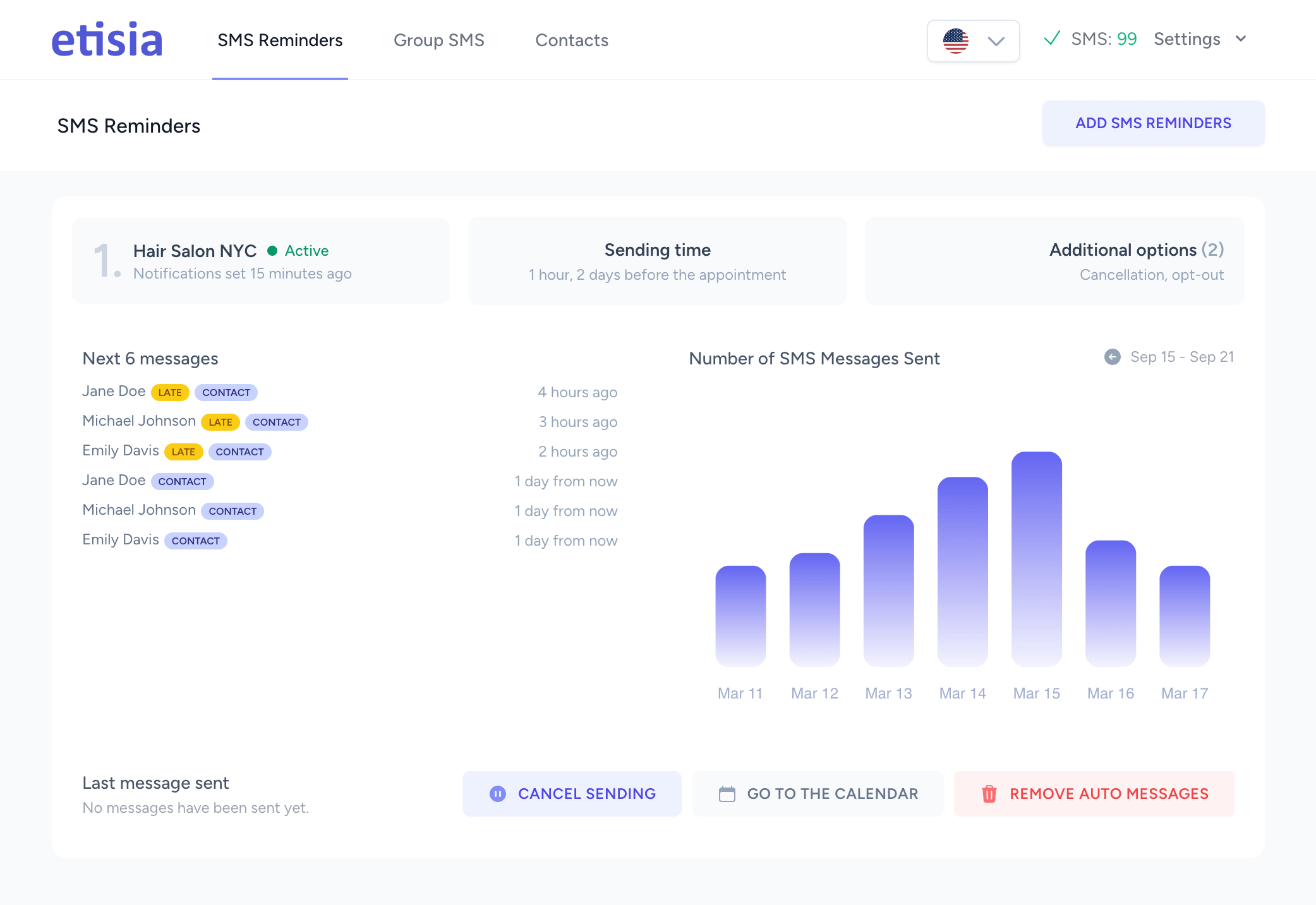
No-shows can seriously hurt your business's bottom line. While Google calendar appointment reminders help, they might not solve the problem completely. Text messages work better because they land on the phone your clients carry, not in an inbox they may not check.
That is why many businesses now want to send text reminders through Google calendar. Modern life keeps everyone distracted, so appointment reminders have become essential for service businesses.
Adding SMS reminders to your workflow improves attendance: a Cochrane review found text reminders raise attendance at healthcare appointments compared with no reminder, with an effect comparable to phone calls (Gurol-Urganci et al., 2013). This piece will show you how to integrate text messaging with Google calendar reminders to improve attendance rates and make your clients happier.
Why Google Calendar Alone Isn't Enough
Google Calendar helps many businesses organize their schedules. But this tool falls short when it comes to making sure clients actually show up. Let's get into why using just Google Calendar for appointment reminders might cost you clients.
Default reminder limitations
Google Calendar's built-in reminder system has several constraints that limit how well it works. We noticed the default reminders get easily lost in today's notification-heavy digital world. Regular pop-up notifications just blend in with all the other alerts on our devices. The reminders also offer few customization options, which makes it hard to adapt messages for different appointment types or client needs.
The default reminder options are also restrictive:
- Pop-up notifications that require the user to be actively using their device
- Email notifications that often end up unread or in spam folders
- Limited customization for message content and timing
These limitations create a big gap between booking an appointment and getting people to show up.
Lack of SMS support
The biggest drawback is that Google Calendar doesn't come with SMS reminders. This missing feature is a vital part because text messages are now the best way to reach clients. Google Calendar's email reminders often get buried in busy inboxes. Calendar notifications need people to use the Google Calendar app regularly, but most clients don't.
Without built-in text messaging, businesses must either deal with fewer people showing up or look for other solutions to fix this gap. This adds extra steps to what should be a simple process of reminding clients about their appointments.
Impact on appointment attendance
Using only Google Calendar reminders leads to real and pricey consequences. No-shows are common: across 105 published studies, the average no-show rate is about 23% (Dantas et al., 2018), and a twelve-year study of ten US clinics measured 18.8% (Kheirkhah et al., 2016). That directly hits the bottom line and efficiency: service-based businesses lose money they can't get back with each missed appointment.
No-shows do more than just cause financial losses. They create scheduling problems that affect other clients and reduce staff efficiency. Everyone gets frustrated when appointments need rescheduling, which hurts client satisfaction.
Businesses that use text reminders see better attendance, because the most common reason for a missed appointment, forgetting, is addressed. This significant difference highlights why Google Calendar alone is insufficient for businesses seeking to optimize appointment attendance and profits.
Setting up SMS reminders with Etisia
Google Calendar lacks built-in SMS reminders, but Etisia makes it easy to add them, reducing the no-shows that come from forgetting. Etisia is a dead-simple SaaS for Google Calendar users-activate automated reminders in under a minute without complex setups. See how SMS reminders for Google Calendar work, then start the free trial.
Step 1: Sign Up for Etisia
Start the free trial on etisia.com. You add a card only when you choose a plan.
Step 2: Connect Your Google Calendar
Link Etisia to Google Calendar by signing in and granting permissions. All done in two clicks.
Step 3: Set Timing and Frequency
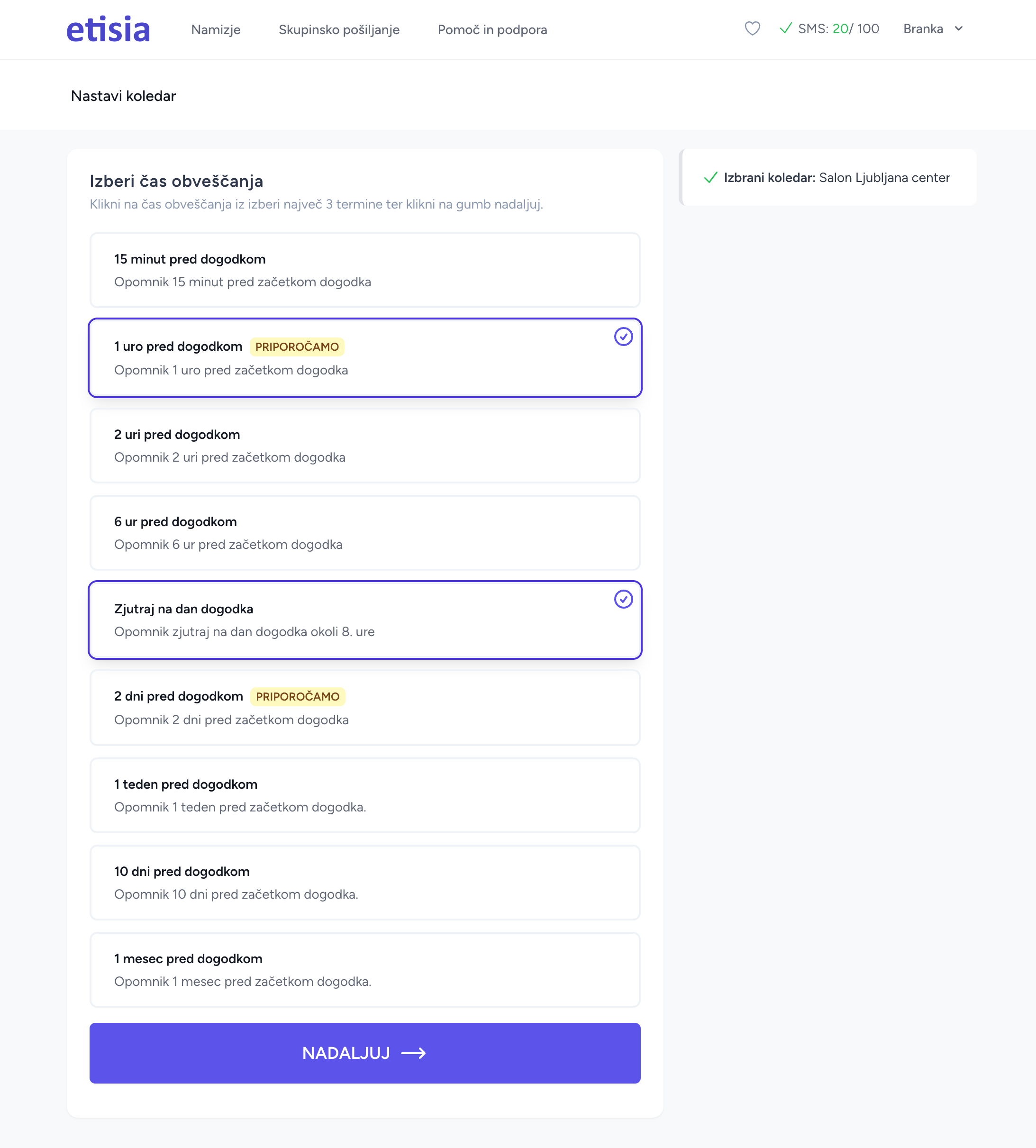
Configure reminders (e.g., 24 hours before, 2-3 hours prior) to reduce no-shows. Etisia ensures timely delivery.
Step 4: Customize SMS Templates
Use the editor if you want to change predefined SMS messages.
Want ready-made SMS reminder text?
Use our free SMS Reminder Template Generator to generate appointment reminder texts in seconds.
Step 5: Activate and Test
Enable reminders and test with a sample event to check fields and links before rolling out. Monitor usage within your quota.
Benefits of Using SMS Reminders for Appointments
SMS reminders work better than old-school appointment reminders. The numbers tell a clear story - text reminders and Google Calendar together can boost your business operations and make clients happier.
Seen on the phone, not lost in an inbox
A text reaches the phone your client carries and shows on the lock screen, while an email can wait unread in a busy inbox or a promotions folder. That makes SMS a good fit for urgent communications and time-sensitive appointment reminders.
A text also needs no app, account or mobile data on your client's side: any mobile phone can receive it. That makes SMS a dependable channel for important appointment updates from Google Calendar.
Reduced no-shows and late arrivals
No-shows can hurt your business profits badly. Text reminders cut missed appointments: a Cochrane review of SMS reminders found attendance improves compared with no reminder (Gurol-Urganci et al., 2013). Healthcare facilities see the same pattern, because forgetting is the most common reason a patient does not turn up.
Missed visits add up quickly. For example, three missed $50 visits a week cost about $7,500 a year (3 × $50 × 50 weeks). This makes SMS integration with Google Calendar a must-have tool rather than just a nice option.
Improved client satisfaction
Your clients value businesses that respect their time and offer easy ways to communicate. Text reminders show your steadfast dedication to great service, so you build stronger relationships with clients. Most people prefer getting appointment details by text because it's less disruptive than phone calls. They can read the message whenever convenient and use the link or monitored phone number if plans change.
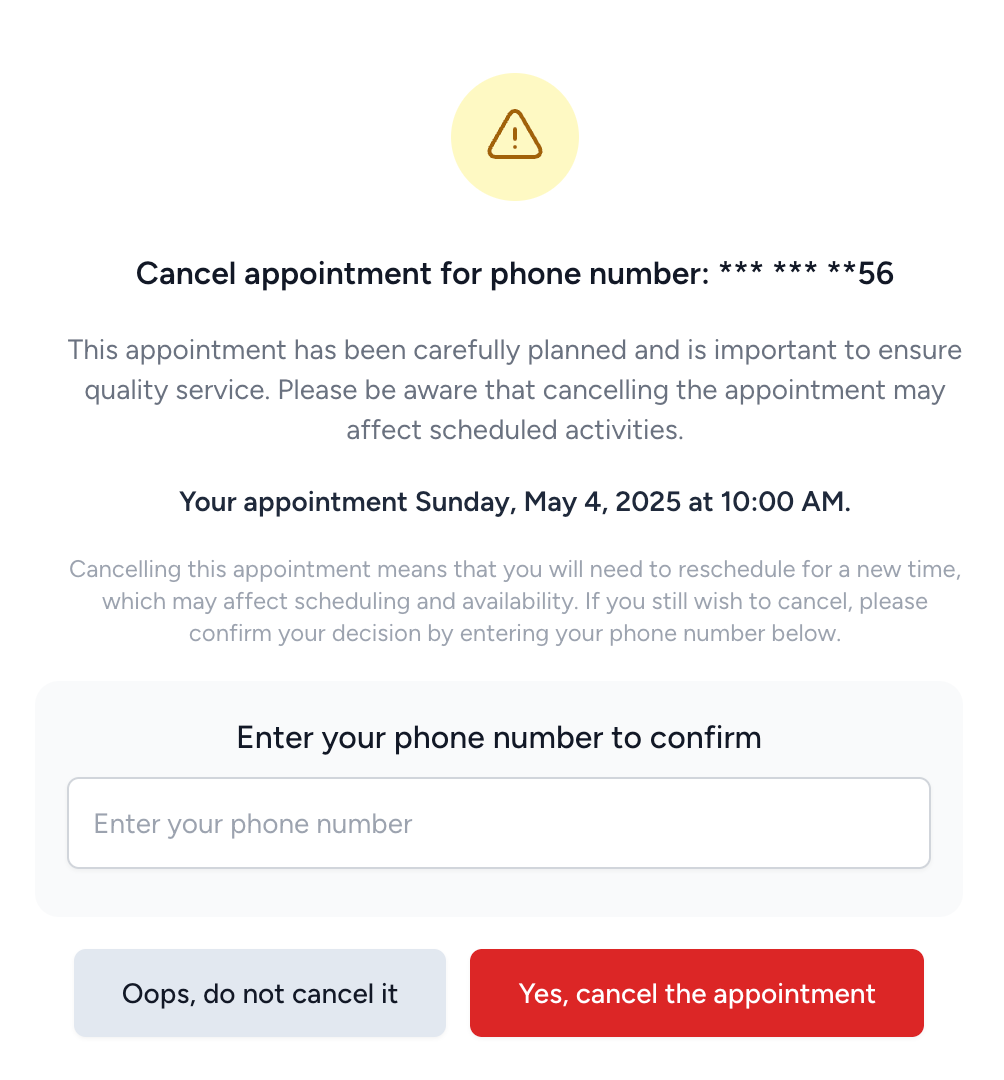
Quick appointment reminders with a clear cancellation path boost the customer experience because clients know what to do if plans changed.
Better time management for businesses
Text reminders for appointments take a lot of work off your staff's plate. They can focus on serving clients instead of making phone calls. Your team can work on more important tasks while automated systems handle appointment messages.
On top of that, it helps you plan resources better when you know which clients will show up. You waste less time and materials preparing. This optimized workflow leads to better service and more revenue opportunities.
Best practices for appointment reminder texts
Google Calendar SMS reminders work best with proper planning and execution. You should set up your SMS integration first using Etisia, the dead-simple tool for automated reminders, and then follow these proven practices to boost appointment attendance.
Send multiple reminders at key intervals
The right timing makes reminders work better. Send a confirmation right after booking and follow up with a reminder 2-3 days before the appointment. A final text 1-2 hours before the meeting delivers the best results. This approach reduces the no-shows that come from forgetting. Your clients need only 2-3 well-timed reminders to take action. Etisia makes this easy by allowing customizable schedules and automated sending at your preferred intervals.
Keep messages short and clear
Your text messages should stay under 160 characters to prevent splitting into multiple parts. Add only the basics: appointment date, time, location, and business name. Simple language helps recipients grasp your message quickly. Put your business name first so clients know who's reaching out to them. With Etisia, you can include a web-based cancellation link in these concise messages for added convenience.
Ensure compliance with privacy laws
Privacy regulations apply to text reminders. You need explicit consent before sending messages. Every message should have an easy opt-out option like "Reply STOP to unsubscribe". Respect quiet hours and avoid sending texts early morning or late at night. Etisia supports compliance by automatically including opt-out instructions and managing consents through its secure platform.
Use dynamic fields for personalization
Customized messages work significantly better. Dynamic fields automatically add client-specific details. These fields help maintain consistent messaging while providing individual information. Etisia integrates these fields seamlessly with your Google Calendar events and contact management, including Android imports for quick setup.
Conclusion
Google Calendar by itself can't deliver the exceptional attendance rates businesses need. SMS reminders paired with it improve your appointment attendance. A text shows up on the phone your clients carry instead of waiting in an inbox, which makes it a better fit than traditional email or calendar notifications.
The advantages go way beyond the reach and influence of preventing missed appointments. Your clients value the convenient, non-intrusive text reminders that strengthen professional relationships. The core team will appreciate freedom from endless reminder calls and can focus on delivering excellent service.
Note that following best practices helps the system work better. You should send multiple well-timed reminders, craft concise messages, add clear confirmation options, comply with legal requirements, and personalize each text. These strategies help you get the attendance gains that protect your bottom line.
Text reminders from Google Calendar offer more than a technical solution - they showcase your steadfast dedication to respecting your clients' time while providing exceptional service. The difference between simple calendar notifications and strategic SMS reminders could lift your business above competitors who still get pricey no-shows.
Related reading: Learn why Google Calendar SMS notifications were discontinued and what alternatives exist. Running a salon? See our beauty salon SMS reminders guide for industry-specific templates.
FAQs
Q1. Can Google Calendar send text message reminders?
Google Calendar doesn't have built-in SMS capabilities. However, you can use third-party tools like Etisia to integrate SMS reminders with your Google Calendar events, allowing you to send text notifications to clients worldwide.
Q2. How effective are SMS reminders for reducing appointment no-shows?
SMS reminders are highly effective in reducing no-shows. A Cochrane review found they improve attendance compared with no reminder (Gurol-Urganci et al., 2013); how much depends on why your clients miss appointments.
Q3. What are the best practices for sending appointment reminders via text?
Best practices include sending multiple reminders at key intervals (e.g., immediately after booking, 2-3 days before, and 1-2 hours before the appointment), keeping messages short and clear, including confirmation options, and personalizing the content with dynamic fields.
Q4. How do SMS reminders compare to email reminders for appointments?
Texts suit time-sensitive reminders better: an SMS lands on the phone your client carries and shows on the lock screen, while an email can sit unread in a busy inbox. The evidence is strongest for SMS: a Cochrane review (Gurol-Urganci et al., 2013) found SMS reminders increase attendance compared with no reminder, with an effect comparable to phone-call reminders. Email still works well for longer details, such as directions or forms.
Q5. What should be included in an appointment reminder text message?
An effective appointment reminder text should include essential details such as the appointment date, time, location, and your business name. It's also useful to say how the client can cancel or reach you if plans change, and to include an opt-out option to comply with privacy regulations.
Related articles
Beauty Salon SMS Reminders With Google Calendar: How to Cut No-Shows [2026]
Beauty salon SMS reminders still work great with Google Calendar in 2026. Here is the setup, timing, and message flow that helps salons keep more chairs full.
How Fit Center Cut No-Shows by 34% with SMS Reminders
Learn how Branka Pihler from Fit Center used automated SMS reminders to dramatically reduce no-shows and increase revenue.
Car detailing appointment reminders: what to send and how to automate them
An empty detailing slot hurts. So does arriving at a locked car. Send reminders that cover the details customers actually need, with four SMS examples and a simple calendar workflow.
Related tools and pages
Keep exploring with the calculator, statistics, comparison pages, and industry guides connected to this article.
SMS reminders for Google Calendar
What Etisia does in Google Calendar, the three setup steps and the price.
Pricing & plans
Compare plans, included SMS credits, and start with a free trial.
No-Show Cost Calculator
Estimate how much missed appointments are costing your business.
No-Show Statistics
Benchmark no-show rates, open rates, and reminder performance data.
Appointment reminder templates
Copy-ready reminder texts organized by timing and industry.
Etisia vs Calendly
Understand the difference between booking software and reminder software.
SMS reminders for hair salons
Keep chairs filled with automated reminder texts for salon clients.
SMS reminders for personal trainers
Improve session attendance for coaching and fitness appointments.