
Google Calendar SMS Notifications Discontinued: What to Use Instead

Google removed SMS notifications from Google Calendar on January 7, 2019. Since then, Google Calendar notifications have been delivered on your phone, in your browser, or by email — not as SMS messages. And those notifications are personal to your account, not a built-in way to text your clients before appointments. If you want client SMS reminders, you need a separate reminder tool connected to Google Calendar.

What changed, what still exists, and what to use instead.

What actually happened — a simple timeline

Before January 2019 — Google Calendar had an SMS notification option. It was part of Google Calendar's own notification system — a reminder sent to you through your Google account settings, not a client-reminder workflow for appointment businesses.

January 7, 2019 — Google removed SMS notifications from Google Calendar. Google said that people who had been receiving SMS notifications would instead get in-app/browser/mobile notifications and email notifications.

Since 2019 — Google Calendar still has notifications, but the current supported notification types are delivered on your phone, in your web browser, or by email. Google also says notification settings are personal to your account and do not determine notifications for other people who have access to the calendar.
What Google Calendar notifications still do

What Google Calendar notifications still do
Notification type Who receives it Format Does this text your client?
Email reminder Your own Google account Email No
Push / phone notification Your own Google account App / device notification No
Browser / desktop notification Your own Google account Browser or desktop alert No

Google Calendar can still remind you. It does not automatically text the client who has the appointment with you.

What you need instead of Google Calendar SMS

If the goal is to text your clients before appointments, the job is different from Google Calendar's old SMS notifications. You need something that can read your Google Calendar events, resolve the client's phone number, send the reminder at the right time, and give the client a simple way to cancel.

That is where Etisia fits. It sits on top of Google Calendar and adds the client reminder layer Google Calendar never really had.

You keep using Google Calendar the way you already do. Etisia handles the appointment reminder workflow on top.

What you had vs what you need now

What you had vs what you need now
Google Calendar SMS (before 2019) Etisia SMS reminders
Who gets the message You Your client
Message type Basic Google Calendar notification Custom reminder text
Timing Personal reminder timing Appointment reminder timing
Cancellation link No Yes
Phone number handling Your own account setup Client number resolution workflow
Still available No Yes

Setup steps

How to set it up

Connect your Google Calendar

Sign in with Google and connect your calendar. Upcoming appointments are picked up automatically, including appointments already on your calendar.

Screenshot coming soon

Choose your reminder message and timing

Pick a template, choose when reminders should send, and turn the workflow on.

Screenshot coming soon

Make sure client numbers can be resolved

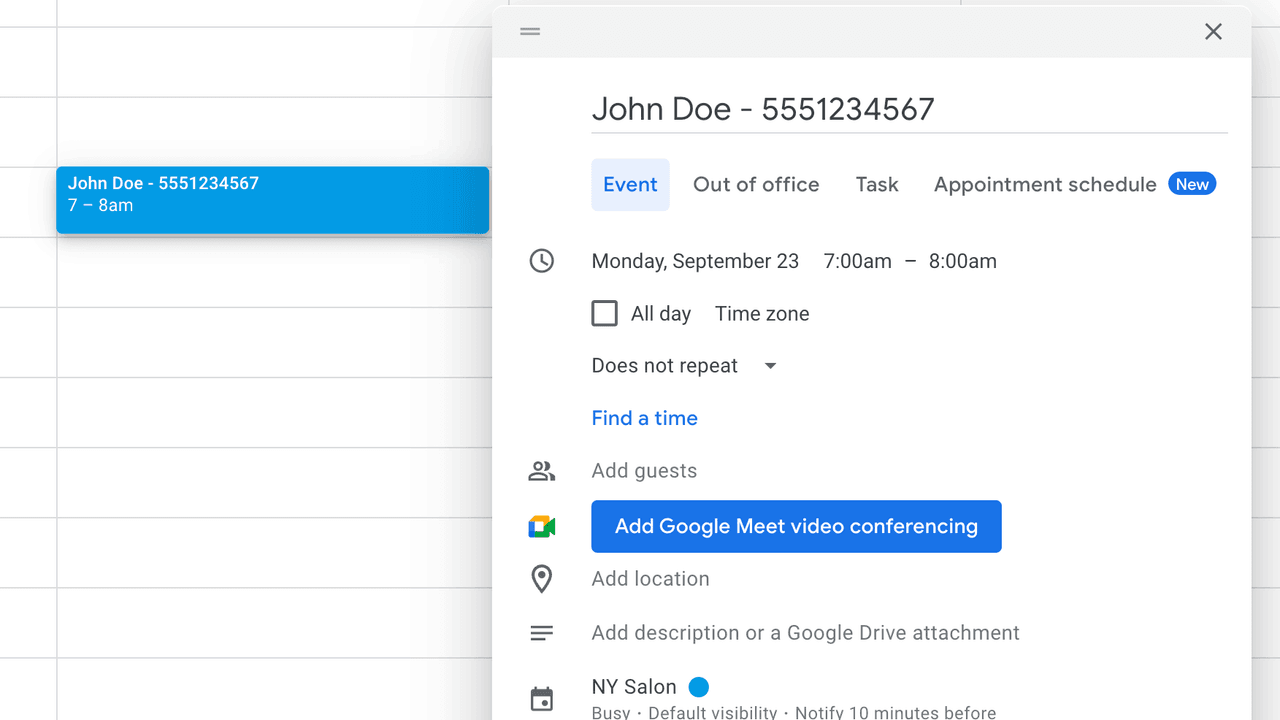
Add contacts in Etisia or include the client's number in the event title so reminders can go out cleanly.

Screenshot coming soon

Clients start getting texts

Once the setup is done, reminders go out automatically and clients can cancel through the SMS link.

Screenshot coming soon

Next step

How to replace Google Calendar SMS notifications

This walkthrough shows how a business owner connects Google Calendar and sends the first SMS reminder without changing the booking workflow.

Works with personal Gmail and Google Workspace accounts.

Preview of the 45-second Etisia setup video

FAQ

Frequently asked questions

Short answers to the most common Google Calendar reminder questions.

I still see "Notifications" in Google Calendar settings. Isn't that SMS?
No. Google removed Calendar SMS notifications starting January 7, 2019. Google's current help docs describe notifications on your phone, in your browser, or by email.
Did Google Calendar ever text my clients?
No. The old SMS feature was part of Google Calendar's own personal notification system. It was not a client reminder workflow for appointment businesses. Google's current notification settings are explicitly personal to your account.
What notifications does Google Calendar still support today?
Google Calendar still supports notifications on your phone, in your browser, and by email.
Does Etisia work with Google Workspace accounts?
Yes. Both personal Gmail and Google Workspace calendars are supported.
I type appointments into Google Calendar manually. Does this still work?
Yes. As long as the appointment is in Google Calendar and the client's number can be resolved, the reminder layer works.

Was this helpful?

A quick vote helps us improve this playbook.

Continue exploring

If you are evaluating Google Calendar SMS reminders, these are the most useful next pages to compare.