
SMS Appointment Reminders for Australian Acupuncture Clinics

Add automatic SMS reminders, cancellation links and optional feedback requests to Google Calendar, without replacing your clinic's existing booking or practice software.

Try SMS reminders with Google Calendar

No credit card needed. Free SMS included.

Last updated:

SMS Reminders, Feedback requests, Easy Cancellation

Google Calendar
TODAY
12
TOMORROW
13
09:00
Lisa Jones (SMS sent ✅)
10:00
Eva Davies (SMS sent ✅)
11:00
12:00
Jane Smith (SMS sent ✅)
13:00
14:00
Anna Taylor (SMS ready ✅)
Click
15:00
16:00
0412 345 678 (SMS sent ✅)
14:02
BLA
Balanced Life AcupunctureToday, 14:02

When an acupuncture appointment is missed, reserved clinic time is hard to reuse

Acupuncture appointments are usually set aside for a specific practitioner, treatment room and time in the diary. When a patient forgets, cancels late or cannot make it, that appointment time may be difficult to offer to someone else at short notice. Etisia helps by sending automatic SMS reminders from your Google Calendar and giving patients a simple cancellation link when they need to change their plans.

Privacy-aware reminders

Send clear appointment reminders without including health details, symptoms, treatment notes or the reason for the visit.

Easier cancellations

Give patients a simple cancellation link so the clinic can see changes earlier and avoid unnecessary back-and-forth phone calls.

Discreet reminders for healthcare appointments A short SMS can remind patients about the date, time and clinic without including sensitive clinical information. For acupuncture practices, this helps keep communication useful while avoiding unnecessary details in a text message.

Cancellation links for short-notice changes Patients may be at work, commuting or unable to call reception during clinic hours. A cancellation link gives them a quick way to let the practice know they cannot attend, giving the team a better chance to adjust the diary.

Less phone interruption for small teams Many acupuncture clinics have one practitioner, a small reception team or shared admin across several practitioners. Automatic SMS reminders reduce the need for manual reminder calls while keeping the diary visible in Google Calendar.

Works with your existing calendar setup Etisia does not replace your practice management software or full booking process. It adds automated SMS reminders, cancellation links and optional feedback or review requests to the Google Calendar workflow your team already uses.

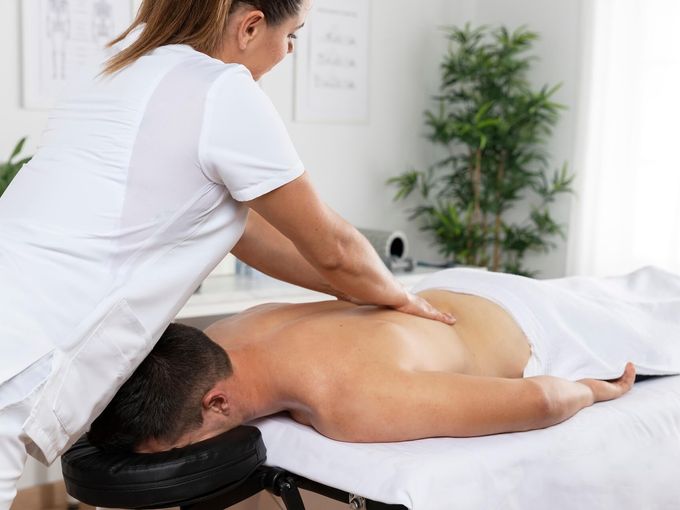
Peaceful acupuncture treatment room

Keep acupuncture appointment SMS practical and privacy-aware

For an Australian acupuncture clinic, an SMS reminder should read like a service message: factual, short and focused on the appointment. Acupuncture sits within the Australian regulated health service context, and Chinese medicine practitioners are registered through the Chinese Medicine Board of Australia.

Health details do not belong in the SMS. Use wording such as "your appointment at {ClinicName}" rather than symptoms, treatment plans, clinical notes or the reason for the visit.

Promotional content needs extra care. Add opt-out wording where required, especially for promotional or review-related messages. ACMA guidance says a mostly factual message can become commercial if it includes promotional or sales content.

How Etisia works with Google Calendar in an acupuncture clinic

Etisia is designed for clinics that already manage appointments in Google Calendar and want simple, automated SMS communication around those appointments. It does not replace your full practice management software, clinical records or booking system. It adds SMS appointment reminders, cancellation links and optional review or feedback requests to the calendar workflow you already use.

  1. 01

    Connect your Google Calendar

    Link the calendar your clinic uses for patient appointments. Solo practitioners can start with one calendar, while multi-practitioner clinics can use separate calendars for different practitioners, rooms or locations.

  2. 02

    Add patient mobile numbers

    Etisia uses the mobile number connected to the appointment or contact details so reminders can be sent automatically. Keep contact details accurate and explain to patients how SMS reminders are used.

  3. 03

    Choose reminder timing

    Set reminders for the timing that suits your clinic, such as 48 hours before, the day before, or the morning of the appointment. The goal is to give patients enough notice to attend or cancel early.

  4. 04

    Use privacy-aware SMS wording

    Keep messages short and neutral. Use wording such as "your appointment at {ClinicName}" rather than mentioning symptoms, treatment plans, clinical notes or the reason for the appointment.

  5. 05

    Include a cancellation link

    Add a cancellation link so patients can let the clinic know if they can no longer attend. This can help the team see changes sooner and reduce phone interruptions.

  6. 06

    Send optional feedback or review requests carefully

    After appointments, clinics can choose whether to send a neutral feedback or review request. For acupuncture and other regulated health services, keep requests voluntary, avoid incentives, and be careful not to use clinical testimonials in advertising.

See Etisia add SMS reminders to Google Calendar

SMS reminder templates for Australian acupuncture clinics

These templates are deliberately short and neutral. They avoid sensitive health details, treatment descriptions, symptoms and outcome language. Add opt-out wording where required, especially for promotional or review-related messages.

Standard appointment reminder

Before appointment

Reminder: you have an appointment at {ClinicName} on {Date} at {Time}. To cancel or change your appointment: {Link}
Day-before reminder

Day before

Your appointment at {ClinicName} is tomorrow at {Time}. Please use this link if you need to cancel or change it: {Link}
Same-day reminder

Same day

You have an appointment today at {Time} at {ClinicName}. To cancel or change your appointment: {Link}
New appointment confirmation

After booking

Thanks for booking with {ClinicName}. Your appointment is on {Date} at {Time}. Changes: {Link}
Early reminder with cancellation link

48 hours before

Reminder: your appointment at {ClinicName} is on {Date} at {Time}. If you can no longer attend, please cancel here: {Link}
Cancellation received

After cancellation

Your cancellation request for your appointment at {ClinicName} has been received. Please contact the clinic if you need to rebook.
Neutral feedback request

After appointment

Thank you for visiting {ClinicName}. Feedback is welcome and optional: {ReviewLink} Reply STOP to opt out.
Private feedback option

After appointment

Thanks for attending your appointment at {ClinicName}. If you would like to share feedback with the practice, please use: {ReviewLink}

Estimate the appointment time missed visits may leave unused

Missed appointments and late cancellations can leave time open in the diary that may be difficult to reallocate. Use this calculator as a practical estimate based on your own clinic details, not as a promise of savings or a fixed industry benchmark.

Average appointment value

Enter the typical fee for one appointment, in A$. You can adjust this to match your clinic's appointment length, practitioner type or usual patient fee.

Enter the number of appointments that are usually missed or cancelled too late to reallocate.

~3 missed or late-cancelled appointments per week

Estimated reserved clinic time left unused

A$0

This example calculation is based on the details you enter, including appointment value and the number of missed or late-cancelled appointments. It shows the value of appointment time that may be left unused if it cannot be reallocated.

Per month

A$0

Per week

A$0

Reserved hours/year

0 hrs

This is a practical estimate, not a savings promise.

Actual results depend on your clinic, reminder timing, patient communication, cancellation policies and diary management.

Add SMS reminders to Google Calendar

Start with automatic appointment reminders, cancellation links and optional feedback requests without replacing your existing practice software.

Optional feedback and review requests, handled carefully

Some acupuncture clinics like to ask patients for feedback after an appointment. Etisia can help send a neutral, optional request, but healthcare pages should avoid pressure, incentives, rating-specific wording or selective requests only sent to pleased patients. For regulated health services, be careful not to use patient testimonials about clinical aspects - such as symptoms, treatment, outcomes or personal improvement - in advertising. Ahpra guidance treats testimonials about clinical aspects differently from general comments about service or communication, and Google prohibits incentives in exchange for reviews. Ahpra testimonial guidance Google review guidance

Neutral by default

Ask for feedback in a balanced way, without telling patients what to say or suggesting a rating.

Private feedback first

Some clinics may prefer to collect private feedback before, or instead of, sending patients to a public review page.

Healthcare-safe wording

Avoid displaying or republishing reviews that describe symptoms, treatment results, pain relief, recovery or clinical outcomes.

Feedback and review requests should stay neutral, voluntary and non-selective.

Simple plans for small and midsize service businesses that don't want another complicated booking system

Google Calendar remains the appointment diary your team works from. Etisia adds reminders, feedback requests and cancellation links without replacing your clinic software.

Starter

$49/month

GST/tax handled where applicable

For solo operators who want reminder coverage fast, without rebuilding how appointments get booked.

  • 100 SMS messages per month
  • 1 Google Calendar
  • Automatic + instant SMS on new bookings
  • Instant confirmation SMS for new appointments
  • 24/7 Monitoring
  • One-tap cancel links + instant alerts
  • 25+ templates with custom fields
  • Import contacts from iOS, Android & vCard
  • Full delivery logs & tracking
Start free trial
No credit card needed. Free SMS included.

Pro

Recommended

Try free for 3 days — extra SMS on us

$79/month

GST/tax handled where applicable

For busy businesses that want reminders and review requests included in one Google Calendar-first flow.

  • 250 SMS messages per month
  • 3 Google Calendars
  • Automatic + instant SMS on new bookings
  • Instant confirmation SMS for new appointments
  • 24/7 Monitoring
  • One-tap cancel links + instant alerts
  • Custom Alphanumeric Request
  • 25+ templates with custom fields
  • Import contacts from iOS, Android & vCard
  • Full delivery logs & tracking
  • Optional feedback or review requests
Start free trial
No credit card needed. Free SMS included.

Team

From$299/month

GST/tax handled where applicable

Built for larger teams with multiple Google accounts and calendars or higher reminder volume. Pricing is tailored to your calendar setup, country, and monthly reminder needs.

  • Custom monthly SMS volume
  • Unlimited Google Calendars
  • 24/7 Monitoring
  • One-tap cancel links + instant alerts
  • Custom Alphanumeric Request
  • Optional feedback or review requests
  • Multiple Google accounts if needed
  • Setup help
  • Priority support — we've got your back
Talk to us
No credit card needed. Free SMS included.

Frequently asked questions

The practical details before you try Etisia.

Can Australian acupuncture clinics send SMS appointment reminders?
Yes, SMS appointment reminders can be a practical way to communicate with patients, but clinics should handle patient contact details and health information appropriately. OAIC guidance for health service providers focuses on helping patients understand how their health information, including contact details, will be used and disclosed. OAIC guidance Clinics should explain SMS reminder use in their privacy notice or intake process and obtain consent where required, especially where sensitive information is involved. OAIC consent guidance
What should an acupuncture clinic avoid putting in an SMS?
Avoid symptoms, diagnoses, treatment details, clinical notes, test results, private reasons for the appointment or any wording that could reveal sensitive health information if the phone is seen by someone else. For this page, the safest default is: "You have an appointment at {ClinicName} on {Date} at {Time}."
Do SMS reminders need an unsubscribe option in Australia?
Pure appointment reminders may be treated differently from promotional SMS, but promotional messages and some review-related messages can fall within commercial electronic message rules. ACMA says commercial messages must have consent, identify the sender accurately and include a functional unsubscribe facility. ACMA spam guidance ACMA also warns that adding promotional content to a factual or service message can make the whole message commercial. ACMA enforcement report
When should acupuncture appointment reminders be sent?
A practical setup is one reminder around 48 hours before the appointment and another the day before or morning of the appointment. The right timing depends on your clinic's cancellation policy, waitlist process and how much notice you need to offer an appointment to another patient.
Can patients cancel through the SMS?
Yes. Etisia can include a cancellation link in reminder messages, so patients can let the clinic know they cannot attend without needing to call. For healthcare use, keep the link and message neutral and avoid exposing sensitive appointment details.
Does Etisia replace practice management software?
No. Etisia is an add-on for Google Calendar, not a replacement for clinical records, practice management software, billing, treatment notes or full online booking systems. Etisia works on top of Google Calendar and lets the existing booking flow stay in place.
Can Etisia work for multiple practitioners or rooms?
Yes, depending on the plan and setup. This is useful for acupuncture clinics with several practitioners, shared treatment rooms, different locations or separate Google Calendars.
Are review requests suitable for acupuncture clinics?
They can be, but the wording and use of reviews need care. A neutral feedback request is safer than asking only pleased patients for a particular rating. Ahpra guidance says advertising for regulated health services must not use testimonials about clinical aspects such as symptoms, diagnosis, treatment or outcomes, and advertisers are responsible for content they control. Ahpra advertising summary Google also prohibits incentives such as discounts or gifts in exchange for reviews. Google review guidance

Planning tools for appointment reminders

If your clinic wants to

Remind patients discreetly with neutral SMS from Google Calendar

See cancellations earlier through a simple appointment link

Ask for feedback carefully with voluntary, non-selective wording

Add SMS reminders to Google Calendar

No credit card required. Free SMS included.