

SMS appointment reminders for UK veterinary practices

Etisia adds SMS reminders, one-tap cancellations, and review follow-up to a Google Calendar workflow that stays simple.

Calculate your practice's estimate

No credit card needed. Free SMS included.

Last updated:

SMS Reminders, Google Reviews, Easy Cancellation

Google Calendar
TODAY
12
TOMORROW
13
09:00
Lisa Jones (SMS sent ✅)
10:00
Eva Davies (SMS sent ✅)
11:00
12:00
Jane Smith (SMS sent ✅)
13:00
14:00
Anna Wright (SMS ready ✅)
Click
15:00
16:00
07911 234567 (SMS sent ✅)
14:02
RV
Riverside VetsToday, 14:02

When appointment slots are left empty at short notice

Every veterinary practice has days when the diary looks full, but a client forgets, cancels too late, or cannot get through to rearrange. That can leave a vet, nurse, consulting room or reception slot with time that is difficult to reallocate. Etisia helps by sending clear SMS appointment reminders from Google Calendar, with cancellation links that make it easier for clients to let the practice know in time.

Useful for busy reception teams

Automatic SMS reminders reduce the need for manual reminder calls, while cancellation links give clients a simple way to let the practice know they cannot attend.

Privacy-aware by design

Keep reminder texts neutral: appointment date, time, practice name and cancellation link. Avoid diagnoses, treatments, test results, medicine names or sensitive appointment details in SMS.

Reduce forgotten appointments A short text reminder the day before an appointment can help clients remember what is in the diary, especially when the appointment was booked weeks in advance. For veterinary practices, simple wording is usually best: practice name, date, time and what to do if the client cannot attend.

Make cancellations easier to act on When a client can cancel or request a change from the SMS, the reception team gets the information sooner. That gives the practice a better chance of using the slot for an urgent case, a waiting-list client, a recheck or another appointment.

Support the reception team without replacing them Etisia does not remove the human side of client care. It helps with the repetitive reminder work, so reception and admin teams can spend more time on calls that genuinely need a person: worried clients, urgent cases, insurance questions and clinical handovers.

Works with the diary your team already uses Many small and mid-sized practices use Google Calendar alongside their existing systems, staff diaries or room calendars. Etisia adds automated SMS communication to Google Calendar, so the team can keep the familiar diary workflow while adding reminders, cancellation links and optional feedback requests.

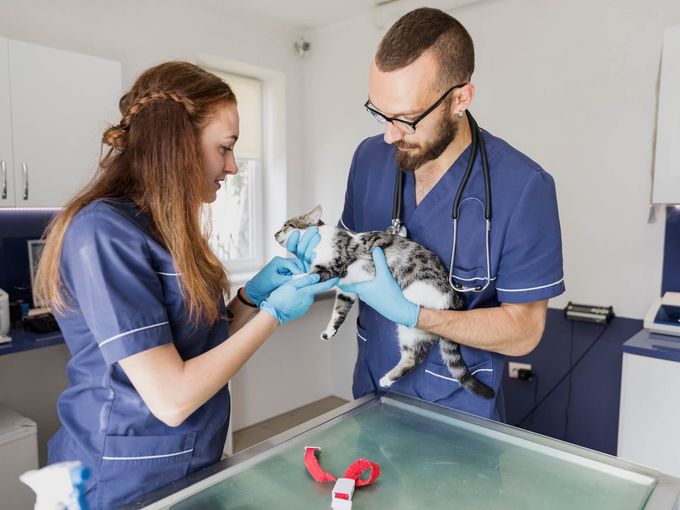
Veterinarian examining a dog in clinic

Why text reminders work well for busy veterinary diaries

Clients can see the essentials quickly. A short SMS with the practice name, date, time and cancellation link is easy to scan when someone is at work, travelling, or trying to manage family plans around a veterinary appointment.

The reception team gets earlier signals. When the message includes a cancellation link, clients have a simple route to tell the practice they cannot attend. That can make schedule changes visible sooner than a missed call or a voicemail.

The wording can stay neutral. For UK veterinary practices, appointment administration is usually enough. Avoid putting diagnoses, treatments, medicines, test results or sensitive appointment details into routine SMS reminders.

How Etisia works with your veterinary practice diary

Etisia is not a replacement for your practice management system. It adds automatic SMS appointment reminders, cancellation links and optional review or feedback requests to Google Calendar, so your team can keep using the diary setup they already know.

  1. 01

    Connect Google Calendar

    Link the calendar your practice uses for consultations, nurse clinics, vaccinations, rechecks, grooming appointments or other scheduled visits.

  2. 02

    Add the client's mobile number

    Etisia uses the mobile number connected to the calendar event or contact details you provide. Keep the SMS content neutral and make sure your privacy information explains how appointment contact details are used.

  3. 03

    Choose reminder timing

    Set reminders to go out at practical times, such as 48 hours before, the day before, or the morning of the appointment. Many practices use more notice for appointments that are harder to reallocate.

  4. 04

    Include a cancellation link

    Add a simple link so clients can cancel or request a change without having to phone the practice during a busy reception period.

  5. 05

    Keep the team informed

    When a client cancels or responds through the link, the practice can see the update and decide whether to refill the slot, contact a waiting-list client or adjust the diary.

  6. 06

    Send optional feedback or review requests

    After an appointment, Etisia can send a neutral feedback or review request where appropriate. Keep it voluntary, do not ask only happy clients, and avoid incentives or "5-star" wording.

How Etisia works with your veterinary practice diary

UK SMS templates for veterinary appointment reminders

These examples are deliberately short, neutral and privacy-aware. They avoid diagnoses, treatment details, medicine names, test results and private circumstances. Adapt them to your practice's wording and privacy approach.

Appointment reminder - day before

Day before

Reminder: you have an appointment at {PracticeName} on {Date} at {Time}. To cancel or change it: {Link}
Appointment reminder - same day

Same day

Your appointment at {PracticeName} is today at {Time}. To cancel or request a change: {Link}
Booking confirmation

After booking

Your appointment at {PracticeName} is booked for {Date} at {Time}. To cancel or change it: {Link}
48-hour reminder

48 hours before

Reminder from {PracticeName}: you have an appointment on {Date} at {Time}. Please use this link if you cannot attend: {Link}
Cancellation-friendly reminder

Before appointment

Plans changed? Please let {PracticeName} know if you cannot attend your appointment on {Date} at {Time}: {Link}
Multiple-location reminder

Before appointment

Reminder: you have an appointment with {PracticeName} on {Date} at {Time}. Please check your confirmation for location details. Change/cancel: {Link}
Short reminder

Short reminder

{PracticeName}: appointment reminder for {Date} at {Time}. To cancel or change your appointment: {Link}
Optional review / feedback request

After appointment

Thank you for visiting {PracticeName}. You're welcome to share feedback here: {ReviewLink}. This is optional.

Estimate the diary impact of missed appointments

Your average appointment

~3 no-shows per week

That's

£0

walking out your door every year.

Per month

£0

Per week

£0

Wasted hours/year

0 hrs

Etisia brings them back.

SMS reminders recover up to 90% of no-shows.

Annual savings

£0

Appointments recovered

0

Hours saved

0 hrs

Start free trial

No credit card required · 3-day free trial · Free SMS included

Ask for feedback without putting pressure on clients

Etisia can send a short feedback or review request after an appointment, where your practice chooses to enable it. Keep the wording neutral and voluntary. Do not ask only happy clients, do not offer discounts or gifts for reviews, and do not suggest that clients should leave a "5-star" rating. Some veterinary practices may prefer to collect private feedback first, especially where a visit was sensitive, urgent, emotional or clinically complex. Google policy allows genuine review requests, but prohibits incentives, pressure, selective positive review requests and attempts to influence rating or content. If the practice uses testimonials in advertising, ASA/CAP guidance says marketers must hold evidence that testimonials are genuine and must avoid misleading claims.

Neutral by default

Use wording such as "You're welcome to share feedback" rather than "Please leave us a 5-star review".

Private feedback option

Some practices may prefer a private feedback form before or instead of a public review link, especially after complex or sensitive appointments.

No incentives or review gating

Avoid discounts, gifts, prizes, pressure, staff targets or only asking clients who seem pleased. A fair review request should not steer the rating or wording.

Feedback and review requests should be optional, neutral and consistent.

Simple plans for small and midsize service businesses that don't want another complicated booking system

Keep Google Calendar as the main calendar your team works from. Etisia adds reminders, review requests, and one-tap cancellations without a new booking system or workflow builder.

Starter

£19/month

ex VAT

For solo operators who want reminder coverage fast, without rebuilding how appointments get booked.

  • 100 SMS messages per month
  • 1 Google Calendar
  • Automatic + instant SMS on new bookings
  • Instant confirmation SMS for new appointments
  • 24/7 Monitoring
  • One-tap cancel links + instant alerts
  • 25+ templates with custom fields
  • Import contacts from iOS, Android & vCard
  • Full delivery logs & tracking
Start free trial
No credit card needed. Free SMS included.

Pro

Recommended

Try free for 3 days — extra SMS on us

£33/month

ex VAT

For busy businesses that want reminders and review requests included in one Google Calendar-first flow.

  • 250 SMS messages per month
  • 3 Google Calendars
  • Automatic + instant SMS on new bookings
  • Instant confirmation SMS for new appointments
  • 24/7 Monitoring
  • One-tap cancel links + instant alerts
  • Custom Alphanumeric Request
  • 25+ templates with custom fields
  • Import contacts from iOS, Android & vCard
  • Full delivery logs & tracking
  • Optional review requests
Start free trial
No credit card needed. Free SMS included.

Team

From£125/month

ex VAT

Built for larger teams with multiple Google accounts and calendars or higher reminder volume. Pricing is tailored to your calendar setup, country, and monthly reminder needs.

  • Custom monthly SMS volume
  • Unlimited Google Calendars
  • 24/7 Monitoring
  • One-tap cancel links + instant alerts
  • Custom Alphanumeric Request
  • Optional review requests
  • Multiple Google accounts if needed
  • Setup help
  • Priority support — we've got your back
Talk to us
No credit card needed. Free SMS included.

Frequently asked questions

The practical details before you try Etisia.

Do veterinary practices need consent to send SMS appointment reminders?
A neutral appointment reminder can often be treated as a service message rather than direct marketing, especially where it simply confirms or reminds the client about an appointment. The ICO gives appointment reminders as an example of service messages and says service messages should not include promotional content. ICO guidance However, the practice still needs an appropriate lawful basis for using personal data, should be transparent in its privacy notice, and should handle mobile numbers securely under UK GDPR and the Data Protection Act 2018. GOV.UK data protection guidance
What changes if the SMS includes promotions, offers or review requests?
Promotional SMS messages are different from simple appointment reminders. PECR restricts unsolicited marketing by text and other electronic messages, and ICO guidance says marketing texts to individuals generally need specific consent unless a limited soft opt-in applies. ICO PECR guidance Review requests should also be treated carefully because they promote the practice's interests. Keep them separate, neutral, optional and easy to opt out of where appropriate.
What should a veterinary SMS reminder avoid saying?
Avoid including diagnoses, suspected conditions, treatment details, test results, medicine names, insurance issues, payment problems, client circumstances or anything that could embarrass the client if someone else sees the text. For most reminders, "You have an appointment at {PracticeName} on {Date} at {Time}" is enough.
Should the SMS include the pet's name?
It can, but it is not always necessary. A pet's name is not the same as human health data, but it can still reveal personal context about the client. For a privacy-aware UK page, the safest template is generic: "your appointment" or "your pet's appointment". Practices that include pet names should make sure their privacy information and client expectations support that use.
When should reminders be sent?
A practical pattern is 48 hours before for appointments that are hard to refill, 24 hours before for standard appointments, and a short same-day reminder where useful. The best timing depends on the practice diary, appointment type and client base. Avoid sending so many texts that clients start ignoring them.
How do cancellation links help reception teams?
A cancellation link gives clients a quick way to tell the practice they cannot attend without phoning. That can reduce interruptions during busy reception periods and may give the team more notice to offer the appointment to another client or adjust the diary.
Does Etisia replace veterinary practice management software?
No. Etisia is not a full veterinary practice management system. It adds automated SMS reminders, cancellation links and optional feedback or review requests to Google Calendar. Practices can continue using their existing clinical records, billing tools, booking processes or practice software.
Can Etisia work for several vets, rooms or branches?
Yes, where the plan and calendar setup support it. A practice can use Google Calendar for different vets, rooms, appointment types or locations, then use Etisia to send reminders from the relevant calendar. This is useful for small teams, multi-vet practices and clinics that already organise appointments through shared Google Calendars.

Free Tools & Resources

Add SMS reminders to the veterinary diary your team already uses

Send neutral reminders with appointment date, time, practice name and a cancellation link from Google Calendar

Make cancellations easier so reception and admin teams can see changes sooner and decide how to use the slot

Ask for feedback carefully with optional, voluntary review requests or private feedback links after appointments

Start sending SMS reminders

No credit card required. Free SMS included.