
SMS Appointment Reminders for Tattoo Artists and Studios

Etisia adds automatic text reminders, cancellation links, and optional review requests to your tattoo studio's Google Calendar without replacing how you book clients.

Add SMS reminders to Google Calendar

No credit card needed. Free SMS included.

Last updated:

SMS Reminders, Feedback, Easy Cancellation

Google Calendar
TODAY
12
TOMORROW
13
09:00
Lisa Miller (SMS sent ✅)
10:00
Eva Davis (SMS sent ✅)
11:00
12:00
Jane Smith (SMS sent ✅)
13:00
14:00
Anna Taylor (SMS ready ✅)
Click
15:00
16:00
(555) 987-6543 (SMS sent ✅)
2:02 PM
II
Iron & Ink StudioToday, 2:02 PM

Missed tattoo appointments leave real time open on the schedule

Tattoo studios run on reserved time. When a client forgets an appointment, cancels at the last minute, or does not respond to a confirmation, that time can be hard to fill - especially for custom work, consultations, and longer sessions. Etisia helps your studio send simple SMS reminders from Google Calendar, with cancellation links that give clients an easier way to let you know before the chair sits empty.

Built for studio schedules

Send reminders for consultations, tattoo sessions, touch-ups, and follow-up appointments directly from Google Calendar without asking your team to manage another full booking system.

Cleaner cancellations

Add a cancellation or cancel/reschedule link to reminder texts so clients can act before the appointment, and your studio can see the change sooner.

Reminders for consultations and sessions Tattoo appointments are often booked days or weeks ahead, and clients may book through Instagram, phone calls, email, walk-ins, or a website form. Etisia helps keep the reminder process consistent by sending automatic SMS reminders from the Google Calendar event your studio already uses.

Cancellation links reduce phone interruptions Clients do not always want to call a studio to cancel. A simple cancellation link gives them a clear next step, while your front desk or artist gets the update without chasing messages across voicemail, DMs, and email.

Keep texts discreet A tattoo can be personal. Reminder messages should usually avoid the design, body area, cover-up details, medical context, or any private reason for the appointment. A neutral text such as "Your appointment at {BusinessName} is on {Date} at {Time}" is usually enough.

Works with multiple artists and calendars For shops with several artists, guest artists, private rooms, or multiple locations, Etisia can support a Google Calendar-first workflow. Each appointment stays in the calendar, while SMS reminders and cancellation links help the team keep the schedule moving.

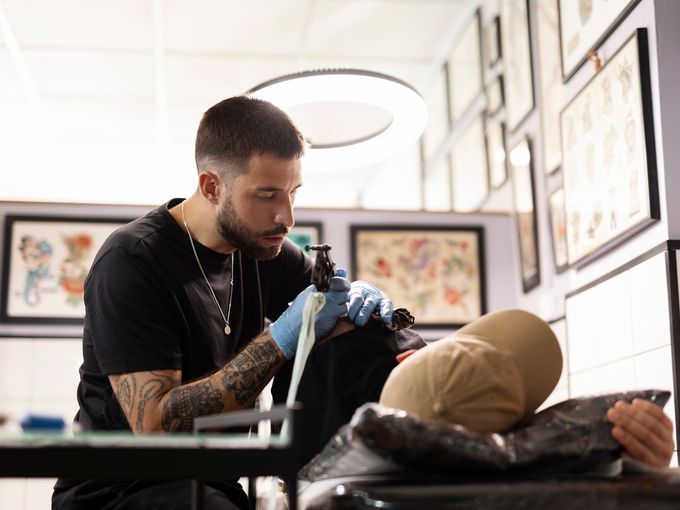
Professional tattoo artist workspace setup

Why tattoo studios keep SMS reminders simple

Clients book through many channels. A studio may take appointments from Instagram, phone calls, email, walk-ins, website forms, and booking tools. Google Calendar gives the team one schedule to work from, while Etisia adds the reminder layer.

Neutral messages protect client privacy. Tattoo reminders should usually identify the studio, date, time, and next step without naming the design, placement, cover-up, scar, medical context, or personal reason for the appointment.

Opt-outs and consent matter. US studios should collect phone numbers transparently, identify the sender clearly, and honor opt-out requests where required. Keep appointment reminders separate from promotional texts.

How Etisia works with your tattoo studio's Google Calendar

Etisia does not replace your booking process, intake forms, POS system, tattoo management software, or client communication style. It adds automatic SMS appointment reminders, cancellation links, and optional review requests to the Google Calendar workflow your studio already uses.

  1. 01

    Add appointments to Google Calendar

    Book clients the way your studio already does - DM, phone, email, form, walk-in, or booking tool - then keep the appointment on Google Calendar.

  2. 02

    Include the client's cell phone number

    Etisia uses the contact details available through your setup to send reminders. Your studio should collect phone numbers transparently and use appropriate consent for SMS communication.

  3. 03

    Choose reminder timing

    Set reminders for the timing that fits your schedule, such as 48 hours before, 24 hours before, or the morning of the appointment.

  4. 04

    Send neutral SMS reminders automatically

    Etisia sends short text reminders with the appointment date, time, studio name, and optional link. The message can stay discreet and avoid tattoo-specific personal details.

  5. 05

    Add cancellation or cancel/reschedule links

    Clients can use a link to cancel or request a change instead of calling the shop. Your team can respond sooner and may have more time to reallocate the appointment slot.

  6. 06

    Send optional review requests

    After completed appointments, Etisia can send a neutral, voluntary review request where appropriate. Requests should not be limited to clients expected to leave positive feedback, suggest a star rating, offer incentives, or pressure clients to mention a specific artist.

See Google Calendar SMS reminders in action

SMS templates for tattoo appointment reminders

Use short, neutral messages that identify your studio, confirm the appointment time, and give clients an easy next step. For privacy, avoid tattoo design details, body placement, medical context, cover-up details, or personal reasons for the appointment.

Standard appointment reminder

Standard reminder

Reminder: you have an appointment at {BusinessName} on {Date} at {Time}. To cancel or reschedule: {Link}. Reply STOP to opt out.
24-hour reminder

24 hours before

Your appointment at {BusinessName} is tomorrow at {Time}. Please arrive on time. To cancel or reschedule: {Link}
Same-day reminder

Same day

You have an appointment at {BusinessName} today at {Time}. Questions? Contact the studio directly.
Consultation reminder

Consultation

Reminder: your consultation at {BusinessName} is on {Date} at {Time}. To cancel or reschedule: {Link}
Policy link reminder

Policy link

Your appointment at {BusinessName} is on {Date} at {Time}. Please review studio policies before your visit: {Link}
Reschedule confirmation

After a change

Your appointment at {BusinessName} has been updated to {Date} at {Time}. Questions? Contact the studio directly.
Post-appointment follow-up

After appointment

Thanks for visiting {BusinessName}. For general studio aftercare information, please use this link: {Link}
Neutral review request

After completed appointment

Thanks for visiting {BusinessName}. Feedback is always voluntary. You can share your experience here: {ReviewLink}. Reply STOP to opt out.

Estimate the schedule impact of missed tattoo appointments

Missed appointments and late cancellations do not affect every studio the same way. Use this calculator as an example calculation to understand how much reserved appointment time may be left unused when clients do not show up or cancel too late to fill the spot.

Average value of one tattoo appointment

Enter a realistic appointment value in US dollars. Use your typical session value before tips and taxes, or estimate based on your average reserved chair time.

~2 appointments left open per week

Estimated appointment time left unused

$0

This estimate is based on the details you enter. It does not assume Etisia will recover every appointment.

Per month

$0

Per week

$0

Reserved chair hours/year

0 hrs

Use reminders and cancellation links before the chair sits empty.

This practical estimate does not account for deposits, waitlists, rebooking, artist prep time, or same-day schedule changes.

Add SMS reminders to Google Calendar

Send automatic text reminders, cancellation links, and optional review requests without replacing your studio booking workflow.

A general appointment-reminder example, not a tattoo studio case study

Branka Pihler runs Fit Center, an appointment-based beauty and wellness business in Slovenia. This story is included as a general Etisia customer example, not proof for US tattoo studios. It shows how automatic reminders can support a busy schedule when clients book ahead and staff need fewer manual follow-ups.

"Etisia made reminders easier for our team and helped clients remember their appointments. The setup was simple, and it saved us time every month."

Branka Pihler
Branka PihlerGeneral customer example
Owner, Fit Center
Customer story

Simple plans for small and midsize service businesses that don't want another complicated booking system

Keep Google Calendar as the main calendar your team works from. Etisia adds reminders, review requests, and one-tap cancellations without a new booking system or workflow builder.

Starter

$29/month

plus applicable tax

For solo operators who want reminder coverage fast, without rebuilding how appointments get booked.

  • 100 SMS messages per month
  • 1 Google Calendar
  • Automatic + instant SMS on new bookings
  • Instant confirmation SMS for new appointments
  • 24/7 Monitoring
  • One-tap cancel links + instant alerts
  • 25+ templates with custom fields
  • Import contacts from iOS, Android & vCard
  • Full delivery logs & tracking
Start free trial
No credit card required. Free SMS included.

Pro

Recommended

Try free for 3 days — extra SMS on us

$49/month

plus applicable tax

For busy businesses that want reminders and review requests included in one Google Calendar-first flow.

  • 250 SMS messages per month
  • 3 Google Calendars
  • Automatic + instant SMS on new bookings
  • Instant confirmation SMS for new appointments
  • 24/7 Monitoring
  • One-tap cancel links + instant alerts
  • Custom Alphanumeric Request
  • 25+ templates with custom fields
  • Import contacts from iOS, Android & vCard
  • Full delivery logs & tracking
  • Optional neutral review requests
Start free trial
No credit card required. Free SMS included.

Team

From$169/month

plus applicable tax

Built for larger teams with multiple Google accounts and calendars or higher reminder volume. Pricing is tailored to your calendar setup, country, and monthly reminder needs.

  • Custom monthly SMS volume
  • Unlimited Google Calendars
  • 24/7 Monitoring
  • One-tap cancel links + instant alerts
  • Custom Alphanumeric Request
  • Optional neutral review requests
  • Multiple Google accounts if needed
  • Setup help
  • Priority support — we've got your back
Talk to us
No credit card required. Free SMS included.

Frequently asked questions

The practical details before you try Etisia.

Do tattoo studios need consent to send SMS appointment reminders?
Tattoo studios should collect cell phone numbers transparently and use appropriate consent for SMS communication. Requirements can vary depending on whether the message is informational, promotional, manually sent, automated, or sent using regulated dialing technology. Studios should also identify the sender clearly and honor opt-out requests where required. FCC TCPA-related rules recognize common opt-out words such as STOP and require covered revocation requests to be honored within a reasonable time, not more than 10 business days.
Are appointment reminders different from marketing texts?
Yes. A reminder about an existing appointment is different from a promotional text about flash sales, new artist openings, discounts, or seasonal campaigns. Promotional SMS usually needs more careful consent, sender identification, and opt-out handling. A safe rule for this page: keep appointment reminders focused on the appointment, and keep marketing campaigns separate.
What should a tattoo studio avoid putting in SMS reminders?
Avoid details that could reveal personal information: tattoo design, body placement, scar cover-up, medical tattooing context, religious or cultural meaning, relationship details, gender-affirming context, or payment details. For standard tattoo studios, HIPAA usually does not apply unless the business is a covered entity or business associate, but privacy-aware wording is still good practice.
When should tattoo appointment reminders go out?
A practical setup is one reminder 24-48 hours before the appointment and another shorter reminder the morning of the appointment for longer sessions. For consultations, a single 24-hour reminder may be enough. Studios should avoid over-texting, especially if a client has not asked for promotional messages.
Can clients cancel or reschedule through the SMS?
Yes. Reminder texts can include a cancellation or cancel/reschedule link. This helps clients act before the appointment instead of leaving a voicemail, sending a DM, or forgetting to contact the studio. The studio should still decide how to handle deposits, late cancellations, and rescheduling based on its own policies and local rules.
Does Etisia replace tattoo booking software?
No. Etisia is not a full tattoo studio management system, POS system, intake form platform, waiver system, or booking marketplace. It adds automatic SMS reminders, cancellation links, and optional review requests to Google Calendar.
Can Etisia work for multiple artists or calendars?
Yes. A studio with several artists, rooms, guest artists, or locations can use a Google Calendar-first setup so reminders are tied to the calendar events the team already manages. This is useful for shops that do not want every artist to manually confirm appointments by phone or DM.
Can tattoo studios ask for Google reviews by SMS?
Yes, but the request should be neutral and voluntary. Do not offer incentives, selectively ask clients expected to leave positive feedback, request a specific star rating, pressure clients while they are still in the studio, or ask them to mention a specific artist or write specific content. Google allows businesses to solicit genuine reviews without incentives or attempts to influence rating or content, and FTC guidance warns against review practices that distort consumer feedback.

Free Tools & Resources

If your studio wants to

Reduce missed appointments with automated SMS reminders for Google Calendar

Send neutral review requests after completed appointments without pressure

Give clients a clearer way to cancel before the appointment time is lost

Add SMS reminders to Google Calendar

No credit card required. Free SMS included.