

SMS appointment reminders for Australian therapy and psychology practices

Keep Google Calendar, reduce forgotten appointments and make cancellations easier with privacy-aware SMS reminders for clients.

Add reminders to Google Calendar

No credit card needed. Free SMS included.

Last updated:

SMS reminders, Optional feedback, Cancellation links

Google Calendar
TODAY
12
TOMORROW
13
09:00
Lisa Jones (SMS sent ✅)
10:00
Eva Davies (SMS sent ✅)
11:00
12:00
Jane Smith (SMS sent ✅)
13:00
14:00
Anna Taylor (SMS ready ✅)
Click
15:00
16:00
0412 345 678 (SMS sent ✅)
14:02
MW
Mindful Wellness CentreToday, 14:02

When appointment time is left unused

A missed or late-cancelled appointment can leave a gap in the diary that is difficult to fill at short notice. For a therapy or psychology practice, that can mean unused clinic time, extra admin and a less predictable week for the practitioner. This example is not an industry benchmark - it is a simple way to understand the impact of reserved appointment time that cannot be reallocated.

Privacy-aware reminders

Keep SMS messages short and logistical: appointment date, time, practice name and a cancellation link. Avoid including the reason for the appointment, treatment details or anything the client may not want visible on their phone.

Easier cancellations

A cancellation link gives clients a simple way to let the practice know when they cannot attend, without needing to call during business hours. That gives the team a better chance of reusing the time or preparing the diary.

Discreet reminders for sensitive appointments Therapy and psychology appointments are private. SMS reminders work best when they do not reveal sensitive information. A simple message such as "You have an appointment at {PracticeName} on {Date} at {Time}" is usually more appropriate than naming the type of service or the reason for the visit.

Fewer phone interruptions for small teams Many Australian therapy practices run with a small reception team, or with practitioners managing their own diary. Automatic SMS reminders reduce the need for manual reminder calls, while still giving clients a clear way to check the appointment time.

Cancellation links that support the diary Late cancellations still happen, but a clear cancellation link makes it easier for clients to notify the practice quickly. The practice can then see the change sooner and decide whether the time can be offered to someone else.

Works with Google Calendar, not instead of your systems Etisia adds SMS appointment reminders, cancellation links and optional feedback or review requests to Google Calendar. It does not replace clinical records, billing software, intake forms, telehealth systems or full practice management software.

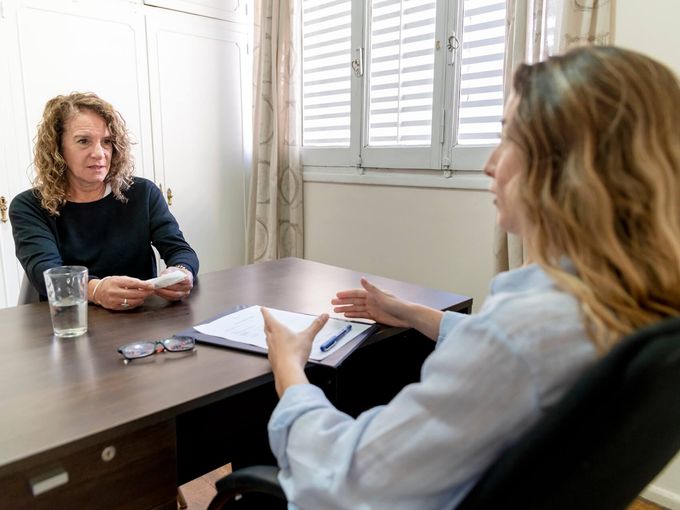
Peaceful therapy office with comfortable seating

Privacy-aware SMS workflows for Australian practices

Keep reminders logistical. The safest reminder is short and practical: appointment date, appointment time, practice name and a cancellation or change link. Avoid diagnoses, treatment details, Medicare details or personal circumstances.

Set expectations at intake. Practices should explain how appointment reminders are used, collect and handle mobile numbers appropriately and respect communication preferences.

Treat feedback and marketing separately. Appointment reminders are service communication. Promotional SMS and review requests need a more careful consent, opt-out and professional-boundary approach for health services.

How Etisia works with your Google Calendar

Etisia is designed for practices that already organise appointments in Google Calendar. It adds automatic SMS reminders, cancellation links and optional feedback or review requests to the calendar workflow, without asking the practice to replace its full management software.

  1. 01

    Connect Google Calendar

    Connect the Google Calendar used for appointments. Solo practitioners can use one calendar, while group practices can use separate calendars for practitioners, rooms or locations where needed.

  2. 02

    Check mobile numbers

    Make sure each appointment has the client mobile number available through the calendar event, contact record or imported contact list, depending on how the practice is set up.

  3. 03

    Choose reminder timing

    Set reminder timing that suits the practice, such as 48 hours before, 24 hours before, or the morning of the appointment. Therapy practices should avoid over-messaging and keep the wording calm.

  4. 04

    Send automatic SMS reminders

    Etisia sends SMS appointment reminders automatically using the selected template. The message can include the practice name, date, time and a cancellation or change link.

  5. 05

    Receive cancellation updates

    When a client uses the cancellation link, the practice can be notified and the diary can be updated according to the workflow. This helps reduce phone tag and gives the team earlier visibility of diary gaps.

  6. 06

    Use feedback or review requests carefully

    Where appropriate, Etisia can send a neutral feedback or review request after an appointment. For therapy and psychology practices, this should be voluntary, non-selective and privacy-aware, with private feedback as an option.

See Etisia add reminders to a Google Calendar workflow

Australian SMS templates for therapy and psychology appointments

These examples are intentionally neutral. They avoid diagnoses, treatment details, personal reasons for the appointment or anything that could reveal sensitive information if someone else sees the client phone.

Template 1 - Standard reminder

Standard reminder

Reminder: you have an appointment at {PracticeName} on {Date} at {Time}. To cancel or change your appointment: {Link}
Template 2 - 24-hour reminder

24 hours before the appointment

{ClinicName}: Your appointment is tomorrow at {Time}. Please use this link if you need to cancel or change it: {Link}
Template 3 - Same-day reminder

Same day

Reminder from {PracticeName}: you have an appointment today at {Time}. To cancel or change your appointment: {Link}
Template 4 - Google Calendar-friendly wording

Google Calendar-friendly wording

{BusinessName}: You have an appointment on {Date} at {Time}. Please check your calendar invite for details. Changes: {Link}
Template 5 - Gentle cancellation option

Before the cancellation window

{PracticeName}: If you cannot attend your appointment on {Date} at {Time}, please let us know here: {Link}
Template 6 - Telehealth-neutral reminder

Telehealth-neutral reminder

Reminder: you have an appointment with {PracticeName} on {Date} at {Time}. Please use the details provided by the practice. Changes: {Link}
Template 7 - Reminder preference note

Reminder preference note

{PracticeName}: Reminder of your appointment on {Date} at {Time}. Changes: {Link}. If you prefer not to receive reminder texts, please let us know.
Template 8 - Optional feedback / review request

After an eligible appointment

{PracticeName}: Thank you for visiting. Feedback is optional. You can share private feedback or a review here: {ReviewLink}

Estimate the impact of unused appointment time

Missed or late-cancelled appointments affect every practice differently. Use this calculator as an example calculation to estimate appointment time that may be left unused based on the details you enter.

Average appointment value

Enter the usual appointment value in Australian dollars. You can use a private fee, average gap amount or another figure that makes sense for your practice.

Use the number of missed or late-cancelled appointments that usually cannot be reallocated at short notice.

~2 appointments left unused each week

Estimated reserved appointment value left unused

A$0

This estimate is based on your inputs. It does not guarantee savings, recovered revenue or fewer missed appointments. It is a practical way to understand the potential impact of booked time left free at short notice.

Per month

A$0

Per week

A$0

Appointment time left open

0 hrs

Keep Google Calendar and add Etisia

Keep Google Calendar and add automatic SMS reminders, cancellation links and optional feedback requests with Etisia.

Calculate your example

Keep Google Calendar and add automatic SMS reminders, cancellation links and optional feedback requests with Etisia.

Optional feedback and review requests, handled carefully

Some practices like to ask for feedback after an appointment, but therapy and psychology services need a careful approach. Etisia can support neutral, voluntary feedback or review requests where appropriate, but the wording should not ask only clients who seem satisfied, request a specific star rating, offer an incentive or pressure clients to comment publicly. For Ahpra-regulated health services, avoid using testimonials or clinical outcome reviews in advertising, and consider whether private feedback is more appropriate than a public review request. Ahpra advertising guidance prohibits using testimonials to advertise regulated health services, and Google Maps review policy does not allow incentives, selective positive review solicitation or pressure around review content. Ahpra guidance Google policy

Neutral by default

Ask for feedback in the same calm way for eligible clients. Do not filter only for positive experiences or suggest what the client should write.

Private feedback first

A private feedback option can help a practice understand communication, access and admin issues without encouraging clients to disclose sensitive information publicly.

No clinical testimonials

Do not republish reviews that discuss symptoms, treatment, diagnosis, outcomes or clinical experiences on the practice website, ads or social media.

For therapy and psychology practices, private feedback may be more appropriate than a public review link.

Simple plans for small and midsize service businesses that don't want another complicated booking system

Google Calendar stays the working diary. Etisia adds privacy-aware SMS reminders, cancellation links and optional neutral feedback requests without replacing your practice software.

Starter

$49/month

Plus applicable taxes.

For solo operators who want reminder coverage fast, without rebuilding how appointments get booked.

  • 100 SMS messages per month
  • 1 Google Calendar
  • Automatic + instant SMS on new bookings
  • Instant confirmation SMS for new appointments
  • 24/7 Monitoring
  • One-tap cancel links + instant alerts
  • 25+ templates with custom fields
  • Import contacts from iOS, Android & vCard
  • Full delivery logs & tracking
Start free trial
No credit card needed. Free SMS included.

Pro

Recommended

Try free for 3 days — extra SMS on us

$79/month

Plus applicable taxes.

For practices that want appointment reminders, cancellation links and optional neutral feedback requests in one Google Calendar workflow.

  • 250 SMS messages per month
  • 3 Google Calendars
  • Automatic + instant SMS on new bookings
  • Instant confirmation SMS for new appointments
  • 24/7 Monitoring
  • One-tap cancel links + instant alerts
  • Custom Alphanumeric Request
  • 25+ templates with custom fields
  • Import contacts from iOS, Android & vCard
  • Full delivery logs & tracking
  • Optional neutral feedback or review requests
Start free trial
No credit card needed. Free SMS included.

Team

From$299/month

Plus applicable taxes.

For multi-practitioner practices that need more calendars, staff access, shared SMS quota and priority support.

  • Custom monthly SMS volume
  • Unlimited Google Calendars
  • 24/7 Monitoring
  • One-tap cancel links + instant alerts
  • Custom Alphanumeric Request
  • Optional neutral feedback or review requests
  • Multiple Google accounts if needed
  • Setup help
  • Priority support — we've got your back
Talk to us
No credit card needed. Free SMS included.

Frequently asked questions

The practical details before you try Etisia.

Do Australian therapy practices need consent for SMS appointment reminders?
In many healthcare contexts, reminder communications may be expected, but practices should still explain at intake how mobile numbers are used, provide a privacy notice where appropriate, and respect client preferences. OAIC guidance says health providers and patients should share an understanding of how contact details and health information are used, and consent can be express or implied depending on context. OAIC guidance
What should a therapy SMS reminder include?
Keep it logistical: practice name, appointment date, appointment time and a cancellation or change link. Avoid mentioning the reason for the appointment, diagnosis, treatment plan, Medicare details, private circumstances or any other sensitive information.
When should appointment reminders be sent?
A practical setup is usually one reminder 24-48 hours before the appointment, with an optional same-day reminder for practices that need it. The best timing depends on cancellation policy, appointment type and how much notice the practice needs to offer the time to another client.
Can clients cancel from the SMS?
Yes. A cancellation link can let clients notify the practice without calling. For therapy practices, this should be framed calmly and should still respect the practice cancellation policy, including any notice period or fee terms already explained to clients.
Does Etisia replace practice management software?
No. Etisia adds SMS reminders, cancellation links and optional feedback or review requests to Google Calendar. It does not replace clinical notes, billing, Medicare claiming, intake forms, case management, telehealth or complete practice management software.
Can Etisia work for multiple practitioners or rooms?
Yes, this works around Google Calendar workflows: separate calendars can be used for practitioners, rooms, locations or appointment types where the Etisia plan supports them. Paid Etisia plans include support for multiple Google Calendars.
Can psychology practices send Google review requests?
They should be cautious. A neutral request for feedback may be suitable in some situations, but regulated health services should avoid using testimonials in advertising, especially comments about clinical aspects, symptoms, treatment or outcomes. Ahpra says testimonials must not be used to advertise regulated health services. Ahpra testimonial guidance
Do promotional SMS or review requests need unsubscribe wording?
If an SMS is marketing or promotional, ACMA guidance says the sender needs consent, must identify itself, include contact details and make it easy to unsubscribe. Appointment reminders are usually service communications, but review requests and promotional follow-ups should be treated carefully, especially for health services. ACMA guidance

Helpful tools for therapy practices

Use Etisia when you want to

Start sending SMS reminders with short, privacy-aware appointment messages

Make cancellations easier with links clients can use without calling the practice

Ask for feedback carefully with neutral optional requests where appropriate

Connect Google Calendar

No credit card required. Free SMS included.