SMS appointment reminders for UK dental practices

Etisia adds automatic text reminders, cancellation links and optional feedback requests to Google Calendar, helping dental teams manage appointments without replacing their existing diary workflow.

Add SMS reminders to Google Calendar

No credit card required. Free SMS included.

Last updated:

Appointment in diary, Optional feedback, SMS reminder

Google Calendar
TODAY
12
TOMORROW
13
09:00
Lisa Jones (SMS sent ✅)
10:00
Eva Davies (SMS sent ✅)
11:00
12:00
Jane Smith (SMS sent ✅)
13:00
14:00
Anna Wright (SMS ready ✅)
Click
15:00
16:00
07911 234567 (SMS sent ✅)
14:02
PDS
Parkview Dental SurgeryToday, 14:02

The hidden cost of missed dental appointments

When a patient forgets an appointment or cancels too late, that time can be difficult to offer to someone else. The result is not just an empty chair - it is reserved clinical time, reception time and diary space that may be left unused at short notice. Etisia helps dental practices add automatic SMS reminders and simple cancellation links to Google Calendar, so patients have a clear reminder and an easier way to let the practice know if they cannot attend.

Built for dental reception teams

Send clear SMS reminders automatically, reduce manual reminder calls and give patients a simple way to cancel or rearrange before the appointment time is wasted.

Discreet patient communication

Keep SMS wording neutral and practical. Remind patients about the appointment time without including treatment details, diagnoses or other sensitive information.

Help patients remember appointments Dental appointments are often booked days, weeks or months ahead. A short SMS reminder gives patients the key details at the right time, helping them remember the appointment without the reception team needing to call everyone manually.

Make cancellations easier to manage Some patients only phone when they realise they cannot attend. A cancellation link gives them a simpler route to let the practice know earlier, so the team can review the diary and decide whether the space can be offered to another patient.

Support the reception team Reminder calls can interrupt the flow of the front desk, especially during busy morning and afternoon clinics. Etisia adds automated SMS reminders to Google Calendar so the practice can keep its existing diary process while reducing repetitive admin.

Keep messages clear and discreet A dental SMS should not include private treatment details. Simple wording such as "You have an appointment at {PracticeName} on {Date} at {Time}" is easier for patients to understand and more appropriate if someone else sees the phone.

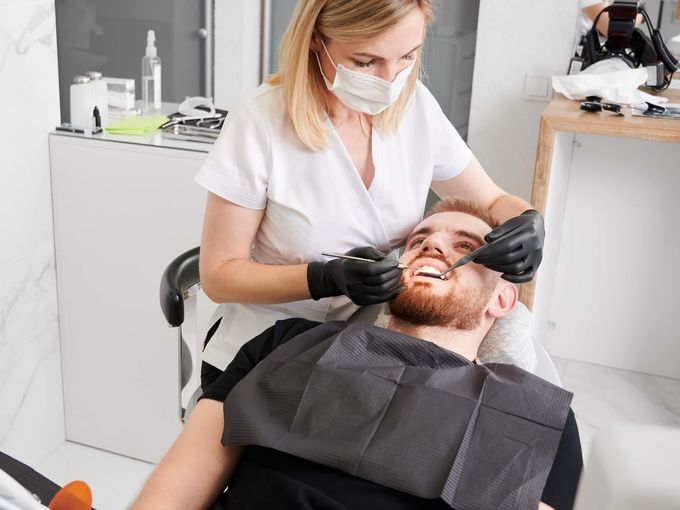
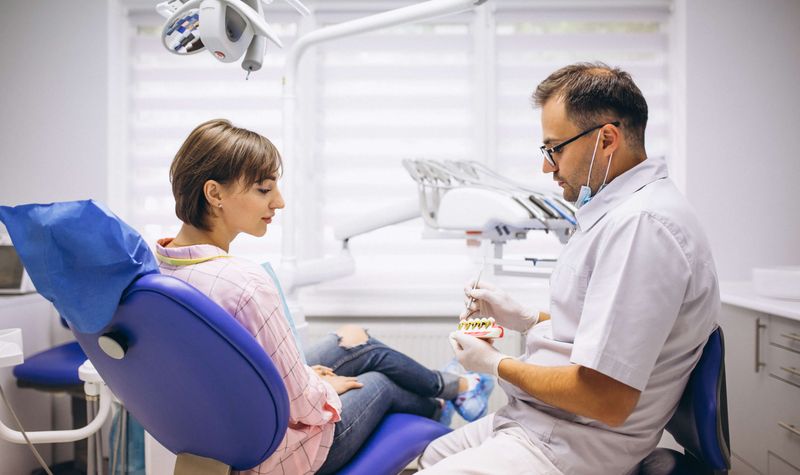
Modern dental office with professional dental chairs and equipment

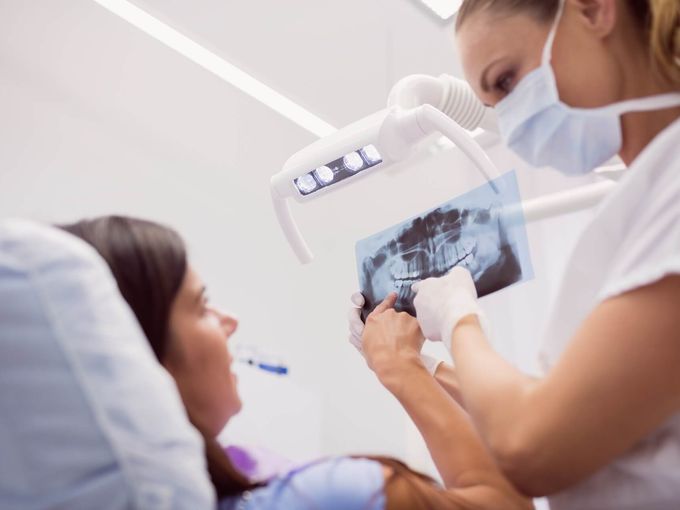
Clear patient communication around the appointment

Keep appointment reminders administrative. A neutral SMS can remind patients about the practice name, date and time without explaining the treatment or clinical reason for the visit. That is usually clearer for patients and more discreet if a notification is visible on a shared or unlocked device.

Separate service messages from marketing. Appointment reminders are different from promotional SMS. If a message adds offers, discounts or marketing content, the practice should review PECR and ICO guidance before sending it.

Use Etisia as part of your practice process. Etisia provides the Google Calendar SMS layer, cancellation links and optional feedback requests. Each dental practice should still use an appropriate lawful basis, clear privacy information and its own data protection process.

How Etisia works with your dental diary

Etisia does not replace your full dental practice management software. It adds automated SMS communication to appointments that are managed in, or mirrored into, Google Calendar. Your practice can keep its existing booking process while Etisia handles SMS reminders, cancellation links and optional feedback or review requests.

  1. 01

    Connect Google Calendar

    Connect the Google Calendar used for your dental appointments. Practices with separate calendars for dentists, hygienists, rooms or branches can manage reminders around the calendars they use.

  2. 02

    Make sure mobile numbers are available

    Add or import patient mobile numbers in the way your practice already manages contact details. Etisia uses the appointment information and available contact details to prepare the reminder.

  3. 03

    Choose privacy-aware SMS wording

    Set a neutral reminder template that includes the practice name, appointment date, appointment time and a cancellation or change link. Avoid including treatment details or sensitive personal information.

  4. 04

    Set reminder timings

    Choose when reminders should be sent, for example 48 hours before, 24 hours before or on the morning of the appointment. Different practices may prefer different timings depending on their diary and cancellation policy.

  5. 05

    Let patients cancel or change more easily

    Include a cancellation link so patients can notify the practice if they cannot attend. The reception team can then review the diary and decide whether the appointment space can be offered to someone else.

  6. 06

    Send optional review or feedback requests

    After the appointment, Etisia can send a neutral feedback or review request where appropriate. Keep it voluntary, avoid incentives and do not only ask patients who seem satisfied.

See how Etisia adds SMS reminders to Google Calendar

SMS templates for UK dental appointment reminders

These templates keep the wording short, neutral and privacy-aware. They avoid treatment details and focus only on the appointment information the patient needs.

Appointment reminder - 48 hours before

48 hours before

Reminder: you have an appointment at {PracticeName} on {Date} at {Time}. To cancel or change your appointment: {Link}
Appointment reminder - day before

Day before

{PracticeName}: your appointment is tomorrow at {Time}. To cancel or change it, please use: {Link}
Same-day reminder

Same day

Reminder from {PracticeName}: you have an appointment today at {Time}. Please contact us if you can no longer attend.
Booking confirmation

After booking

{PracticeName}: your appointment has been booked for {Date} at {Time}. We'll send a reminder nearer the time.
Cancellation link message

Before appointment

{PracticeName}: if you need to cancel or change your appointment on {Date} at {Time}, please use this link: {Link}
Appointment time changed

When time changes

{PracticeName}: your appointment is now on {Date} at {Time}. Please contact us if this is not correct.
Neutral feedback request

After appointment

Thank you for visiting {PracticeName}. If you would like to share feedback with the practice team, you can do so here: {Link}
Optional Google review request

After appointment

Thank you for visiting {PracticeName}. If you would like to leave a Google review, you can use this link: {ReviewLink}. This is optional.

Estimate the value of unused appointment time

Your average appointment

~3 no-shows per week

That's

£0

walking out your door every year.

Per month

£0

Per week

£0

Wasted hours/year

0 hrs

Etisia brings them back.

SMS reminders recover up to 90% of no-shows.

Annual savings

£0

Appointments recovered

0

Hours saved

0 hrs

Start free trial

No credit card required · 3-day free trial · Free SMS included

Ask for patient feedback without pressure

Etisia can send a short feedback or review request after an appointment, where your practice chooses to enable it. For dental practices, the wording should stay neutral: no incentives, no specific rating wording, no selective requests to only satisfied patients and no pressure to leave a public review. Some practices may prefer to offer private feedback before or instead of a public review link, especially where a patient may want to raise a concern directly with the practice team.

Google allows businesses to encourage genuine reviews, but prohibits incentives, selectively asking for positive reviews and pressuring users to include specific content. Dental practices should also be careful not to use testimonials or review content in a way that implies guaranteed clinical results or creates unjustified expectations.

Neutral wording

Ask for feedback in the same way for patients generally. Avoid satisfaction gating, rating prompts or suggested wording.

Private feedback option

Some practices may prefer to invite private feedback first, so patients can raise questions or concerns directly with the practice team.

No incentives

Do not offer discounts, gifts, free services or other incentives in exchange for a review.

Review and feedback requests should stay neutral, voluntary and non-selective.

Simple plans for small and midsize service businesses that don't want another complicated booking system

Google Calendar remains the diary your team works from. Etisia adds automatic SMS reminders, cancellation links and optional feedback requests around that workflow.

Starter

£19/month

ex VAT

For solo operators who want reminder coverage fast, without rebuilding how appointments get booked.

  • 100 SMS messages per month
  • 1 Google Calendar
  • Automatic + instant SMS on new bookings
  • Instant confirmation SMS for new appointments
  • 24/7 Monitoring
  • One-tap cancel links + instant alerts
  • 25+ templates with custom fields
  • Import contacts from iOS, Android & vCard
  • Full delivery logs & tracking
Start free trial
No credit card needed. Free SMS included.

Pro

Recommended

Try free for 3 days — extra SMS on us

£33/month

ex VAT

For busy businesses that want reminders and review requests included in one Google Calendar-first flow.

  • 250 SMS messages per month
  • 3 Google Calendars
  • Automatic + instant SMS on new bookings
  • Instant confirmation SMS for new appointments
  • 24/7 Monitoring
  • One-tap cancel links + instant alerts
  • Custom Alphanumeric Request
  • 25+ templates with custom fields
  • Import contacts from iOS, Android & vCard
  • Full delivery logs & tracking
  • Optional feedback or review requests
Start free trial
No credit card needed. Free SMS included.

Team

From£125/month

ex VAT

For dental practices that need staff accounts, multiple calendars and priority support.

  • Custom monthly SMS volume
  • Unlimited Google Calendars
  • 24/7 Monitoring
  • One-tap cancel links + instant alerts
  • Custom Alphanumeric Request
  • Optional feedback or review requests
  • Multiple Google accounts if needed
  • Setup help
  • Priority support — we've got your back
Talk to us
No credit card needed. Free SMS included.

Frequently asked questions

The practical details before you try Etisia.

Can a UK dental practice send SMS appointment reminders?
Yes, but the practice should treat this as processing personal data and handle it properly. A neutral appointment reminder is usually best framed as an administrative service message, not a marketing message. ICO guidance gives appointment reminders as an example of a service message, while also warning that promotional content can turn a service message into direct marketing. The practice should still use an appropriate lawful basis, be transparent in its privacy notice and keep patient data secure under UK GDPR and the Data Protection Act 2018.
Do patients need to consent to SMS reminders?
Not always in the same way as marketing consent, but the practice should be clear about how mobile numbers are used and should respect patient preferences. For simple appointment reminders, many practices will assess an appropriate lawful basis and explain this in their privacy information. For promotional SMS, marketing texts or messages that go beyond a neutral reminder, PECR and ICO marketing guidance become more relevant, including consent or soft opt-in requirements and opt-out expectations.
What should a dental SMS reminder include?
Keep it minimal: the practice name, appointment date, appointment time and a contact or cancellation link. Avoid details such as treatment type, symptoms, diagnoses, clinical notes, test results, payment details or personal circumstances. This is especially important because health information has stronger legal protection under UK data protection law.
When should dental appointment reminders be sent?
A common setup is one reminder around 48 hours before the appointment and another around 24 hours before. Some practices also use a same-day reminder for early morning or high-risk missed appointments. The best timing depends on your cancellation policy, diary pressure and how much notice your team needs to offer a space to another patient.
How do cancellation links help a dental practice?
A cancellation link gives patients a quick way to say they cannot attend without phoning the reception desk. That can help the practice find out earlier, reduce phone interruptions and give the team a better chance of using the diary space productively.
Does Etisia replace Dentally, EXACT, Software of Excellence or other dental systems?
No. Etisia should be described as an SMS communication layer for Google Calendar, not a replacement for full dental practice management software. If a practice's existing system or workflow can place appointments into Google Calendar, Etisia can work from there.
Can Etisia support several dentists, hygienists or rooms?
Yes, where the practice uses multiple Google Calendars or shared calendar workflows. Paid plans support multiple Google Calendars depending on the plan, so the right setup depends on how your dentists, hygienists, rooms or branches are organised.
Can dental practices ask patients for Google reviews?
Yes, but keep requests neutral and voluntary. Do not ask only patients who seem satisfied, do not ask for a specific rating, do not offer incentives and do not pressure patients to include particular wording. Google policy says reviews should reflect genuine experiences and prohibits incentives, selective positive solicitation and pressure. Dental practices should also be careful with testimonials, before/after content and claims about clinical outcomes, as GDC and ASA/CAP expectations apply to dental advertising.

Free Tools & Resources

Add practical SMS reminders to your dental diary

Remind patients clearly with neutral appointment SMS from Google Calendar

See cancellations earlier through a simple link instead of extra phone calls

Ask for feedback carefully with voluntary, neutral follow-up messages

Add SMS reminders to Google Calendar

No credit card required. Free SMS included.