Booking layer
A booking system creates the appointment
Its job is reservation capture, availability, forms, payments, or appointment rescheduling.
Explanatory comparison guide · April 2026
Many teams search for a “booking system alternative” when the real problem is different: they do not need a new way to book appointments, they need fewer no-shows after the appointment is already in the calendar. So the key question is simple: are you solving appointment capture or appointment protection?
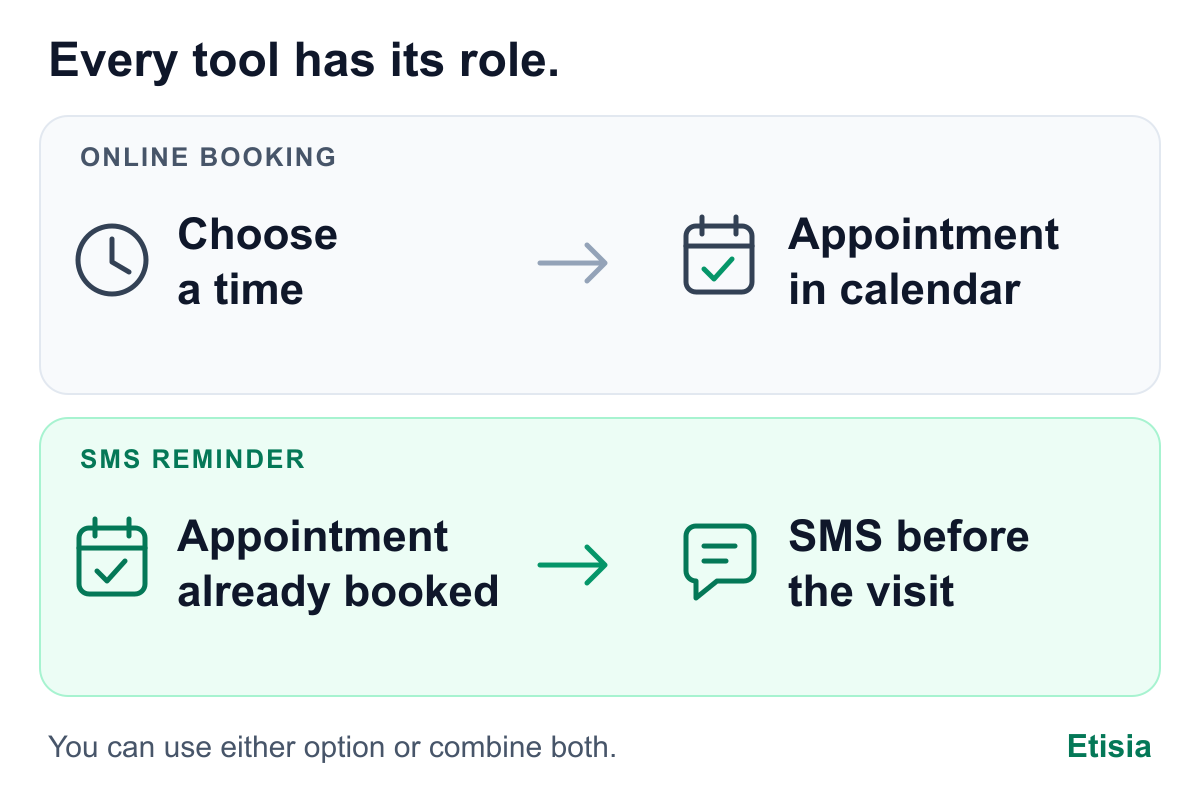
Booking layer
Its job is reservation capture, availability, forms, payments, or appointment rescheduling.
Reminder layer
Its job is to make sure the client sees the appointment, remembers it, and can cancel via a link or call to request a change early enough.
In practice
If appointments already land in Google Calendar, it is often enough to add a reminder layer instead of changing the whole booking workflow.
Buyers comparing Calendly, Square Appointments, or Acuity often mix up self-service booking capture with calendar-level appointment protection. If your schedule already lives in Google Calendar (personal Gmail or Google Workspace), Etisia (listed on the Google Workspace Marketplace across 18 countries) adds automated SMS reminders directly on top of your events without Zapier or migrating booking software.
| Question | Booking system | Reminder tool |
|---|---|---|
| What is the main goal? | Publish open availability, capture online reservations, and collect intake forms or upfront deposits. | Protect scheduled visits from forgotten appointments and late cancellations with automated SMS reminders and optional cancellation links. |
| What is the source of truth? | Usually its own proprietary booking database, staff portal, or public scheduling page. | Your existing Google Calendar, where Etisia reads phone numbers from event titles, descriptions, or saved full-name contacts and writes (SMS ready ✅) and (SMS sent ✅) onto event titles. |
| When do you need it? | When clients must pick slots online themselves, pay deposits at checkout, or book across complex multi-room rules. | When appointments arrive by phone, walk-in, Instagram DM, WhatsApp, email, or a booking page and all land in Google Calendar. |
| What does it usually not solve? | Often misses manual phone or front-desk bookings and relies on reminder emails buried in busy inboxes. | Does not publish a public self-booking page or process checkout payments when you genuinely need online reservation capture. |
The expensive mistake is migrating staff and regulars onto a $25 to $100+/month booking suite just to stop forgotten visits, when Etisia adds Google Calendar SMS reminders starting at US $12/month billed yearly ($144/year; £13/month ex VAT in the UK, €13/month ex VAT in Ireland, A$16/month ex GST where applicable in Australia) for 100 SMS and 1 calendar, after a 21-day free trial with up to 60 free SMS earned during setup.
Most appointment businesses fall into one of two operational groups depending on whether their bottleneck happens before the appointment reaches Google Calendar or in the 24 hours before the client is due to arrive.
Common case
Choose a Google Calendar reminder layer like Etisia when bookings arrive by phone, at the front desk, via Instagram DM, or on WhatsApp and already sit in Google Calendar. Etisia extracts the client number, sends up to three timed SMS reminders per calendar, marks events (SMS ready ✅) and (SMS sent ✅), and includes an optional secure cancellation link that deletes cancelled events automatically.
Different case
Choose a full booking platform (such as Acuity Scheduling, Square Appointments, or Vagaro) when your staff spends too much time negotiating open slots and you need public 24/7 self-booking pages, mandatory card deposits, custom intake forms, or multi-room equipment rules.
Common mix-up
Calendly and Google Calendar Appointment Schedules are built to let external invitees pick an open time and receive confirmation emails. When clients overlook inbox reminders or book by phone outside your scheduling link, Etisia covers the destination Google Calendar with cellular SMS reminders and optional cancellation links.
Operational compromise
You do not have to choose one or the other. Many clinics, salons, and consultants keep a lightweight booking page that writes events into Google Calendar, while Etisia watches that calendar to send uniform 24-hour SMS reminders across both online self-bookings and manual reception entries without Zapier.
If you answer yes to two of these three questions, there is a good chance you do not need a new booking system.
If yes, you already have the basic source of truth. Often the missing piece is the reminder layer, not an entirely new system.
If the issue is empty chairs, missed checkups, or silent cancellations, you are solving a behavior problem after booking, not necessarily an appointment-capture problem.
If reception, therapists, trainers, or staff would need to change their daily workflow just to get better reminders, the cost is often too high for the goal.
These links continue the same decision path: compare options, understand Calendly alternatives, or see the reminder layer in practice.
Comparisons
Open the comparison hub for a wider view of alternatives and direct comparisons.
Calendly alternative
See the broader alternative for teams thinking about changing their approach.
Calendly reminders alternative
A comparison for buyers who mainly care about reminders on top of Google Calendar.
Appointment reminders
If you want to see the reminder layer in practice, this is the most direct next page.
Short answers for teams trying to separate the booking problem from the no-show problem.